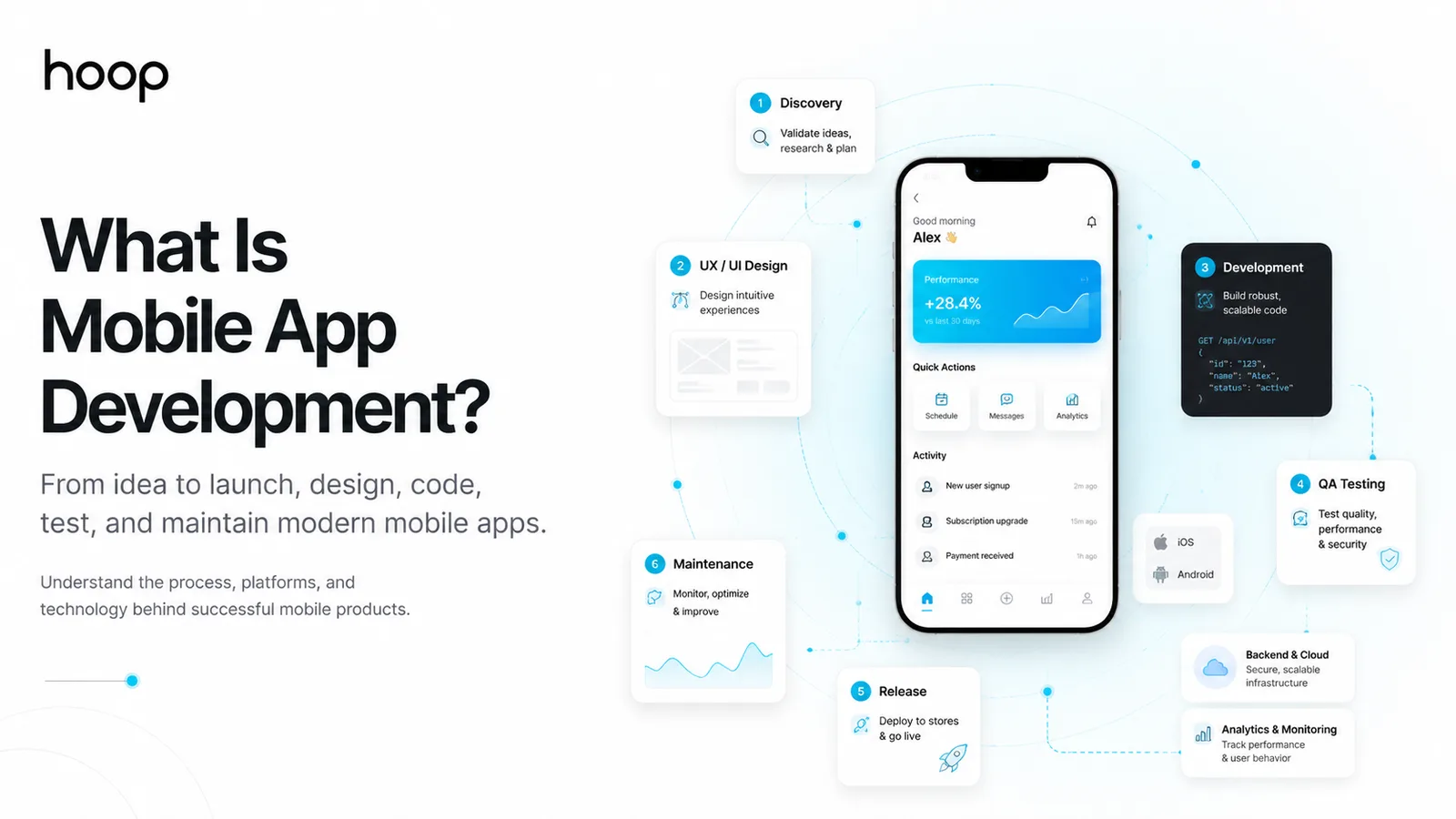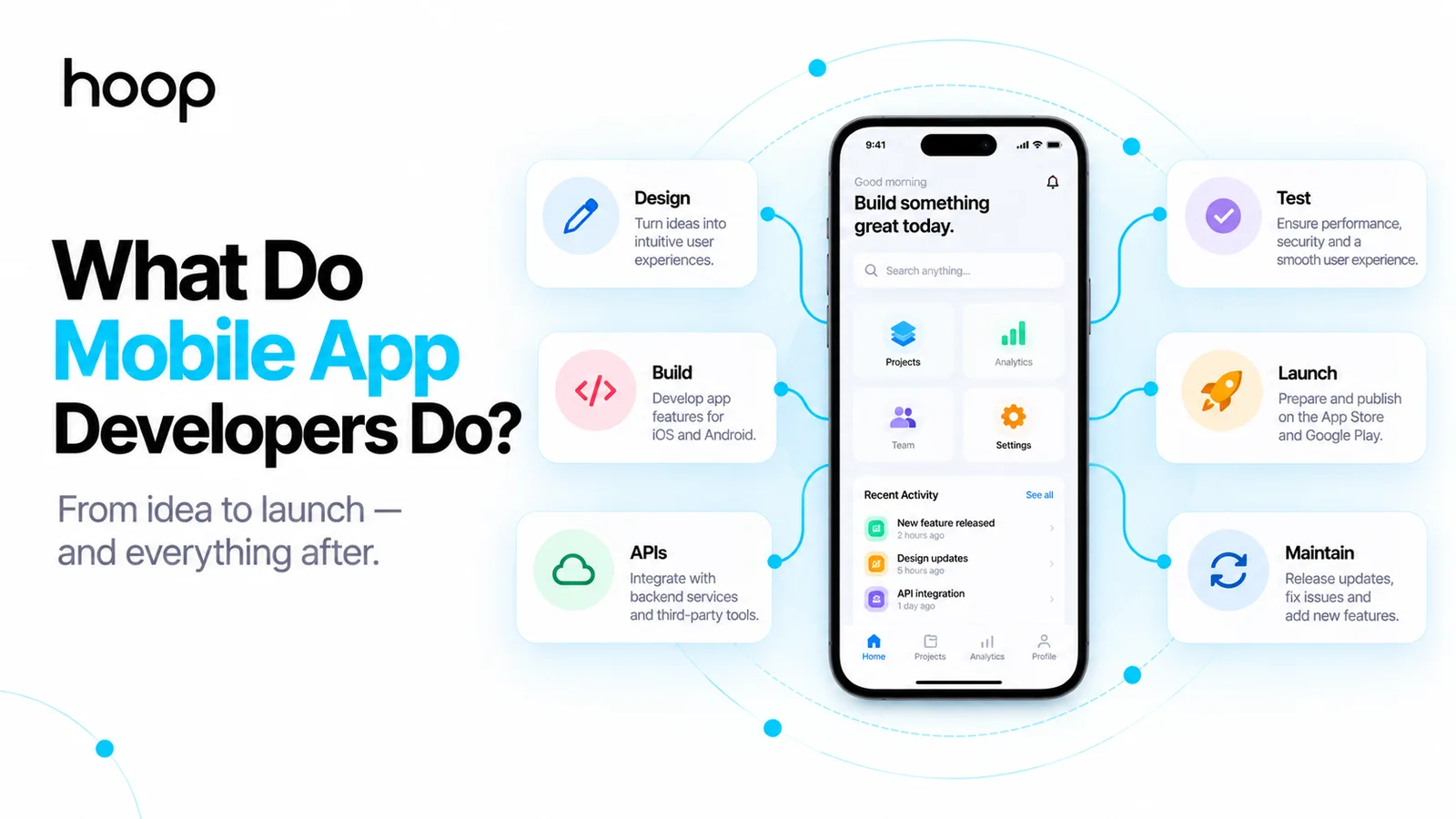
What Do Mobile App Developers Do? Roles and Process
Mobile app developers turn product requirements and interface designs into working software for smartphones and tablets — covering coding, API integration, device features, testing, app-store release, analytics, updates, and ongoing maintenance across iOS, Android, and cross-platform stacks.
Sahar
Content Writer
Mobile app developers design, build, test, release, and maintain software that runs on smartphones and tablets. They turn product requirements and interface designs into working iOS, Android, or cross-platform applications that connect users with data, services, and device features.
A developer’s job extends far beyond writing screens. Mobile developers integrate APIs, manage local data, handle authentication, work with cameras and location services, test across devices, prepare release builds, fix bugs, and update apps as operating systems change.
The exact scope depends on the team. A developer at a large company may focus only on the mobile client. A developer at a startup may also handle Firebase, simple backend services, analytics, deployment, and app-store submission.
What Does a Mobile App Developer Actually Do?
A mobile app developer turns a product idea into software that people can install and use on a phone or tablet. The developer writes code, connects the app to services, tests behavior, and keeps the product working after launch.
Most mobile developers spend their time across 6 areas: planning features, implementing interfaces, writing application logic, integrating services, testing releases, and maintaining production apps.
Turn product requirements into app features
Developers begin by understanding what the product must do. They review requirements, user flows, technical constraints, deadlines, and platform needs before choosing an implementation approach.
A food delivery app may need restaurant browsing, cart management, payments, live order tracking, maps, push notifications, and account management. Each feature creates technical decisions about data, permissions, networking, storage, and user experience.
Build screens and application logic
Developers convert approved designs into interactive screens. They implement navigation, forms, buttons, lists, animations, validation, loading states, error states, and business rules.
The work includes both what users see and what happens after an action. Tapping “Place Order” can trigger validation, payment processing, inventory checks, an API request, analytics tracking, and a confirmation screen.
Connect the app to APIs and services
Most modern mobile apps depend on remote systems. Developers connect the mobile client to Application Programming Interfaces (APIs) for authentication, payments, content, orders, messages, maps, analytics, and other services.
For businesses planning a connected product, Hoop’s mobile app development services cover the mobile client, backend integration, testing, store submission, and post-launch support.
What Does a Mobile Developer Build Inside an App?
A mobile developer builds the interactive features that make an app useful. The exact feature set changes by product, but the technical patterns repeat across industries.
An ecommerce app may include product search, category browsing, favorites, cart management, checkout, payment integration, order history, delivery tracking, and push notifications.
A fitness app may include workout plans, progress charts, subscriptions, local storage, notifications, camera access, Bluetooth devices, HealthKit integration, or Android health data.
A social app may include profiles, feeds, comments, media uploads, messaging, notifications, moderation tools, search, and privacy controls.
The developer also handles invisible states. Slow networks, expired sessions, failed payments, missing permissions, empty data, app backgrounding, and interrupted uploads all need predictable behavior.
What Does the Mobile App Development Process Look Like?
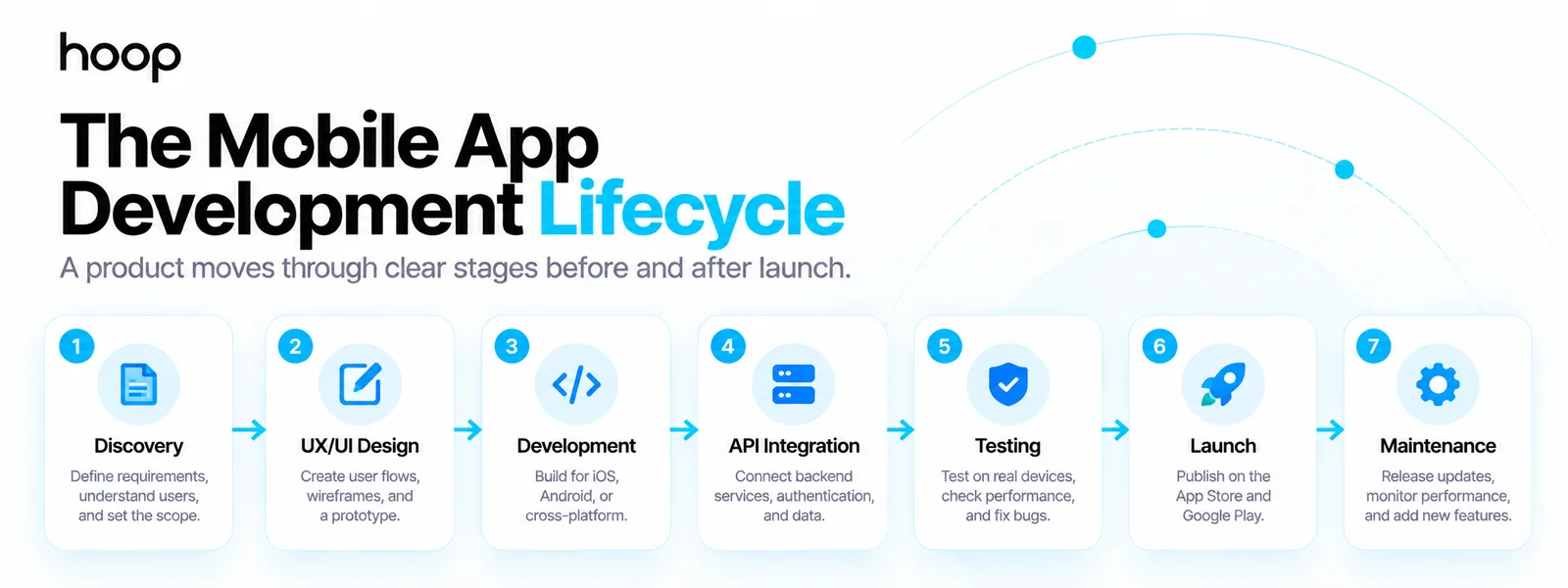
A typical mobile app moves through 7 stages: discovery, design, development, integration, testing, launch, and maintenance. Developers contribute throughout the cycle, although specialists may own different stages.
1. Discovery and requirements
The team defines the problem, target users, core features, business rules, platform needs, and technical constraints. Developers help identify risky requirements before design or coding expands.
A good discovery phase also decides whether the product needs native iOS, native Android, or a cross-platform approach. Hoop’s mobile development guide explains how platform, architecture, backend, testing, and maintenance decisions fit together.
2. UI/UX design and prototyping
User Interface and User Experience (UI/UX) designers map flows and screens. Developers review designs for feasibility, platform behavior, accessibility, data requirements, and edge cases.
Designers decide how the experience should look and behave. Developers make that experience function in code.
3. Application development
Developers create the codebase, build screens, implement navigation, manage state, handle local storage, and write business logic. Teams usually work in short iterations so features can be reviewed before the entire product is complete.
4. Backend and API integration
The mobile app connects to remote systems for shared data and business logic. Developers implement authentication, network requests, error handling, caching, data synchronization, and third-party integrations.
5. Testing and quality assurance
Developers and Quality Assurance (QA) engineers test features on representative devices and operating-system versions. They check crashes, performance, permissions, offline states, accessibility, security behavior, and incorrect inputs.
6. App-store launch
Developers prepare signed builds, version numbers, store metadata, privacy information, screenshots, and release configuration. Apple reviews apps and updates submitted through App Store Connect before publication, so release work includes compliance and review feedback.
7. Maintenance and improvement
After launch, developers monitor crashes, analytics, reviews, and user feedback. They fix defects, support new operating-system versions, update dependencies, improve performance, and add new features.
Do Mobile App Developers Build the Backend Too?
Some mobile developers build backend services, but dedicated mobile roles usually focus on the application running on the device. Backend engineers typically own databases, server-side business rules, APIs, queues, authentication systems, and cloud infrastructure.
Small products can blur that boundary. One experienced developer may use Firebase, Supabase, serverless functions, or a small Node.js service to support an early Minimum Viable Product (MVP).
Larger systems benefit from clearer ownership. A banking, marketplace, logistics, or social product can involve complex permissions, transactions, real-time data, search, messaging, and integrations. Those systems usually need backend specialists alongside mobile developers.
Developer vs Development Team: What Is the Difference?
A mobile developer owns mobile application engineering. A development team combines several specialist roles needed to design, build, release, and operate the whole product.
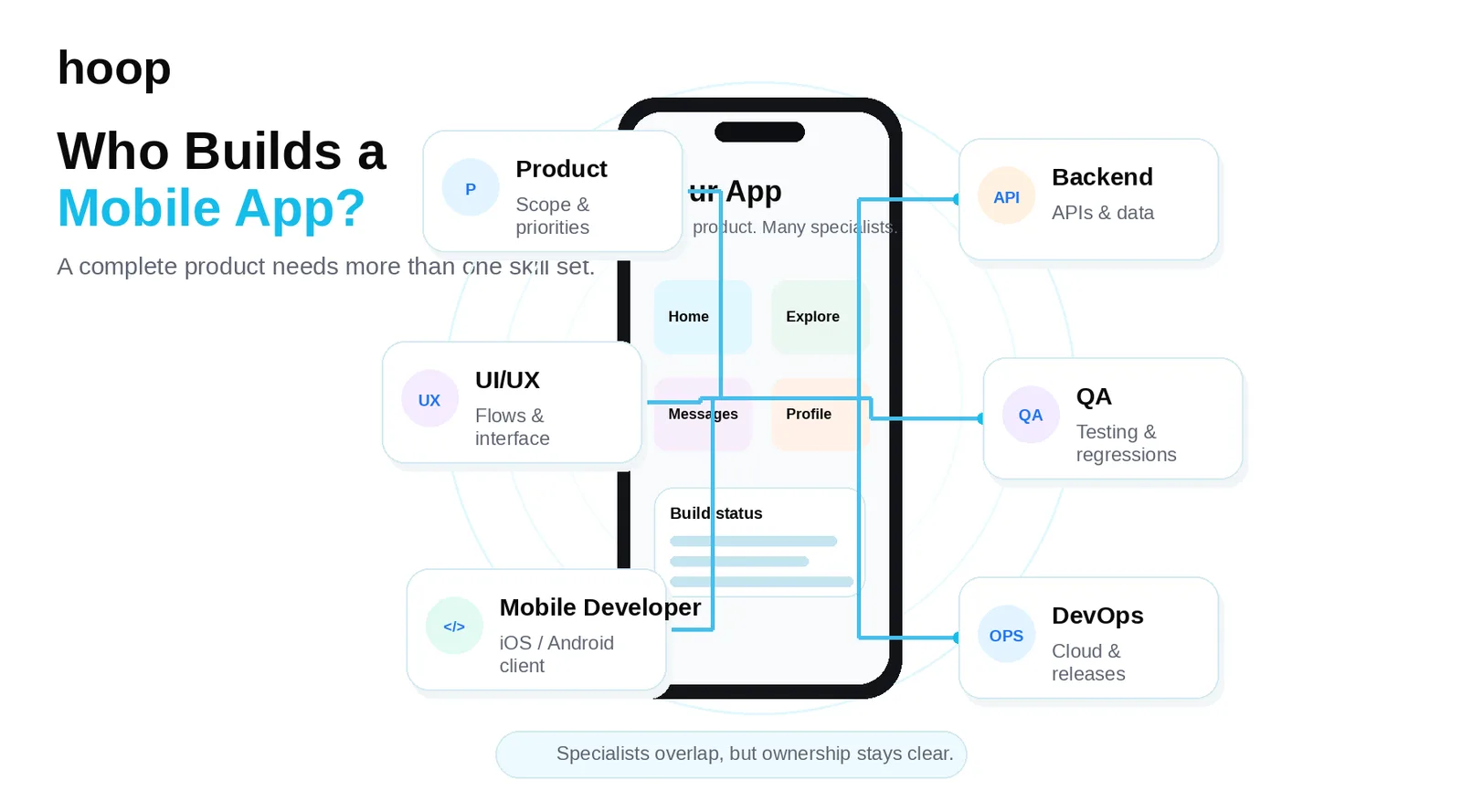
A typical team can include:
- Product manager: defines priorities, scope, outcomes, and release decisions.
- UI/UX designer: creates user flows, wireframes, prototypes, and final interfaces.
- Mobile developer: builds the iOS, Android, or cross-platform client.
- Backend developer: builds APIs, databases, authentication, and server logic.
- QA engineer: tests releases, edge cases, devices, and regression risks.
- DevOps or cloud engineer: manages environments, deployment, monitoring, and infrastructure.
A simple app may combine several roles into 1 or 2 people. A larger product separates those responsibilities because the technical and operational workload increases.
What Is Native Mobile App Development?
Native development uses the official tools and frameworks for a specific mobile platform. Developers build separate applications for iOS and Android when the product needs deeper platform control or platform-specific engineering.
iOS developers use Swift and SwiftUI
Apple developers commonly use Swift with SwiftUI or UIKit. Native iOS development gives developers direct access to Apple frameworks, device capabilities, platform conventions, and App Store tooling.
The work can include Face ID, HealthKit, Core Location, camera access, push notifications, in-app purchases, background tasks, and Apple-specific interface behavior.
Android developers use Kotlin and Jetpack Compose
Android developers commonly use Kotlin with Jetpack Compose or Android Views. They also account for a wider device range, screen sizes, manufacturers, hardware capabilities, and Android versions.
Native Android work can involve widgets, notifications, background services, location features, camera APIs, Bluetooth, foldable layouts, Google services, and Play Store release requirements.
What Is Cross-Platform Mobile Development?
Cross-platform development lets teams share more code between iOS and Android. Popular frameworks include React Native and Flutter.
React Native uses JavaScript or TypeScript and renders through native platform components. Flutter uses Dart and supports multi-platform applications from a shared codebase.
Cross-platform development can reduce duplicated feature work when both platforms need similar functionality. Native code can still be required for platform-specific integrations, advanced device features, or specialized performance requirements.
Businesses that want one shared codebase can explore Hoop’s React Native development approach for iOS and Android products.
How Does Mobile Development Differ From Web Development?
Mobile and web developers share programming fundamentals, but their delivery environments differ.
A web application runs in a browser and can be updated centrally. A mobile application is packaged, installed, signed, distributed through stores, and governed by iOS or Android lifecycle rules.
Mobile developers also work more directly with device permissions and hardware. They must consider background execution, battery use, app suspension, offline behavior, different screen densities, store policies, and operating-system updates.
Web developers focus more heavily on browsers, responsive layouts, web standards, search accessibility, and server/client behavior across browser engines.
What Device Features Do Mobile Developers Work With?
Mobile developers can connect applications to device capabilities that ordinary websites cannot use as deeply or consistently.
Common integrations include cameras, microphones, Global Positioning System (GPS), Bluetooth, biometrics, Near Field Communication (NFC), local storage, motion sensors, contacts, push notifications, health data, and background location.
Each capability introduces platform rules. Location access requires permission handling. Background location requires stricter justification. Camera features need error states. Push notifications require registration, tokens, user preferences, and deep links.
The developer’s job includes both enabling the feature and handling the cases where access fails or the user says no.
How Do Mobile App Developers Test Apps?
Mobile developers test code, screens, integrations, devices, and release builds before users receive them. Good testing combines automated checks with real-device testing.
Developers may use unit tests for business logic, integration tests for connected components, and User Interface (UI) tests for interactions. Android provides Compose testing APIs for testing UI behavior on devices or emulators, while Apple teams commonly use XCTest and TestFlight workflows.
Real devices remain important because hardware, operating-system versions, network quality, memory, screen size, and manufacturer behavior can expose problems that one simulator does not reveal.
Mobile development quick reference
| Task | Typical owner | Common method | Why it matters |
|---|---|---|---|
| Define features | Product + developer | Discovery, user stories, technical scoping | Prevents costly rework |
| Build interface | Mobile developer | SwiftUI, Compose, React Native, Flutter | Creates the user-facing product |
| Connect services | Mobile + backend developers | REST, GraphQL, SDKs | Gives the app data and business functions |
| Test releases | Developer + QA | Automated tests, devices, beta builds | Finds defects before release |
| Publish app | Mobile developer + product team | App Store Connect, Google Play Console | Makes the app available to users |
| Maintain product | Mobile + backend team | Monitoring, updates, crash analysis | Keeps the app reliable after launch |
What Happens Before an App Is Published?
Developers prepare production builds and verify that the application is ready for distribution. The work includes signing, versioning, permissions, privacy configuration, release notes, store assets, and final testing.
Apple’s App Review process checks submitted apps and updates against technical, content, design, and policy requirements. Google Play also requires signed release packages, store information, policy compliance, and data declarations.
Developers may distribute beta builds first. TestFlight lets iOS teams share beta versions with testers before an App Store release. Android teams can also use internal, closed, or open testing tracks through Google Play.
What Do Mobile Developers Do After Launch?
Developers keep the app stable, compatible, secure, and useful after release. Live products create a continuous stream of engineering work.
Post-launch tasks include fixing crashes, reviewing analytics, upgrading libraries, supporting new iOS and Android versions, improving startup time, reducing battery use, handling security updates, and building new features.
Developers also investigate production-only problems. A checkout bug may affect one Android version. A push notification change may fail for a specific account state. An operating-system update may change a permission or background-processing rule.
Maintenance protects the product from gradually becoming unreliable as the surrounding platform changes.
What Skills Do Mobile App Developers Need?
Mobile developers need programming ability, platform knowledge, debugging skills, and product judgment. Coding language knowledge alone does not cover the role.
Core technical skills include Swift or Kotlin for native work, JavaScript or TypeScript for React Native, Dart for Flutter, Git, APIs, state management, data storage, testing, architecture, and debugging.
Developers also need communication skills because mobile work crosses product, design, backend, QA, analytics, and business teams. A good developer can explain technical constraints before they become schedule problems.
Can 1 Mobile Developer Build an Entire App?
Yes, 1 experienced developer can build some apps, especially small MVPs with limited features and managed backend services. A larger production product often needs more specialist support.
One developer can realistically build a simple booking app, internal tool, prototype, or narrow consumer product when scope stays controlled. Managed authentication, database, analytics, and cloud services can reduce infrastructure work.
A complex marketplace, fintech platform, healthcare product, logistics system, or high-scale social app usually needs separate skills across backend architecture, security, UX, testing, operations, and product management.
The right question is not whether 1 developer can write the code. The better question is whether 1 person can responsibly design, build, test, release, operate, and improve the required product.
When Do You Need a Mobile App Development Team?
You need a wider team when the product has enough complexity that one developer becomes a delivery bottleneck or a risk concentration.
A team becomes more valuable when the app needs both iOS and Android releases, a custom backend, payments, real-time features, complex permissions, heavy device integration, strict security, regulated data, large-scale testing, or frequent releases.
A team also improves parallel work. Designers can validate the next feature while developers build the current one. QA can test one release while engineering starts the next sprint. Backend specialists can evolve APIs without blocking interface work.
Build a Mobile App With the Right Team Around It
Mobile app developers turn product requirements into functioning software, but successful apps depend on more than coding. The work connects product decisions, interface design, APIs, device capabilities, testing, store release, analytics, and long-term maintenance.
A small product can start with one experienced developer. A complex product benefits from specialists who can work in parallel and own deeper technical areas. If you are planning an iOS, Android, or cross-platform product, Hoop can help you scope the team, platform, architecture, build, and release process before development expands.
“The better question is not whether 1 developer can write the code, but whether 1 person can responsibly design, build, test, release, operate, and improve the product.”
Key takeaways
- 01The invisible states — slow networks, denied permissions, failed payments — are much of the job.
- 02Dedicated mobile roles usually stop at the client; backend ownership is a separate skill.
- 03Real devices catch what simulators miss: memory, manufacturers, OS versions, network quality.
- 04One developer can ship a focused MVP; complex products need parallel specialists.
Written by
Sahar
Content Writer
Frequently Asked
Questions
Everything you need to know before booking a strategy call. Can't find your answer? Contact us directly.
A mobile developer usually writes code, reviews features, fixes bugs, integrates APIs, tests builds, and collaborates with product and design teams. Daily work changes depending on the current release stage.
No. Dedicated mobile developers can work entirely on the client application, but backend knowledge helps them integrate APIs, authentication, data models, and network behavior correctly.
Common languages include Swift for iOS, Kotlin for Android, JavaScript or TypeScript for React Native, and Dart for Flutter. Some projects also contain Objective-C, Java, C++, or platform-specific native modules.
Yes. Mobile apps run inside iOS or Android, interact more deeply with device hardware, follow platform lifecycle rules, and usually pass through app-store distribution processes.
Yes. One developer can build both platforms with cross-platform frameworks such as React Native or Flutter, or maintain separate native codebases if the developer has both skill sets.
Keep reading
All articles →
Will AI Replace Mobile App Developers? What Changes and What Does Not
Sep 6, 2026 · 9 min read
Software Development Services in 2025: Custom Solutions and Digital Transformation
Aug 7, 2026 · 8 min read