What Is Web Design? A Complete Guide to Modern Websites
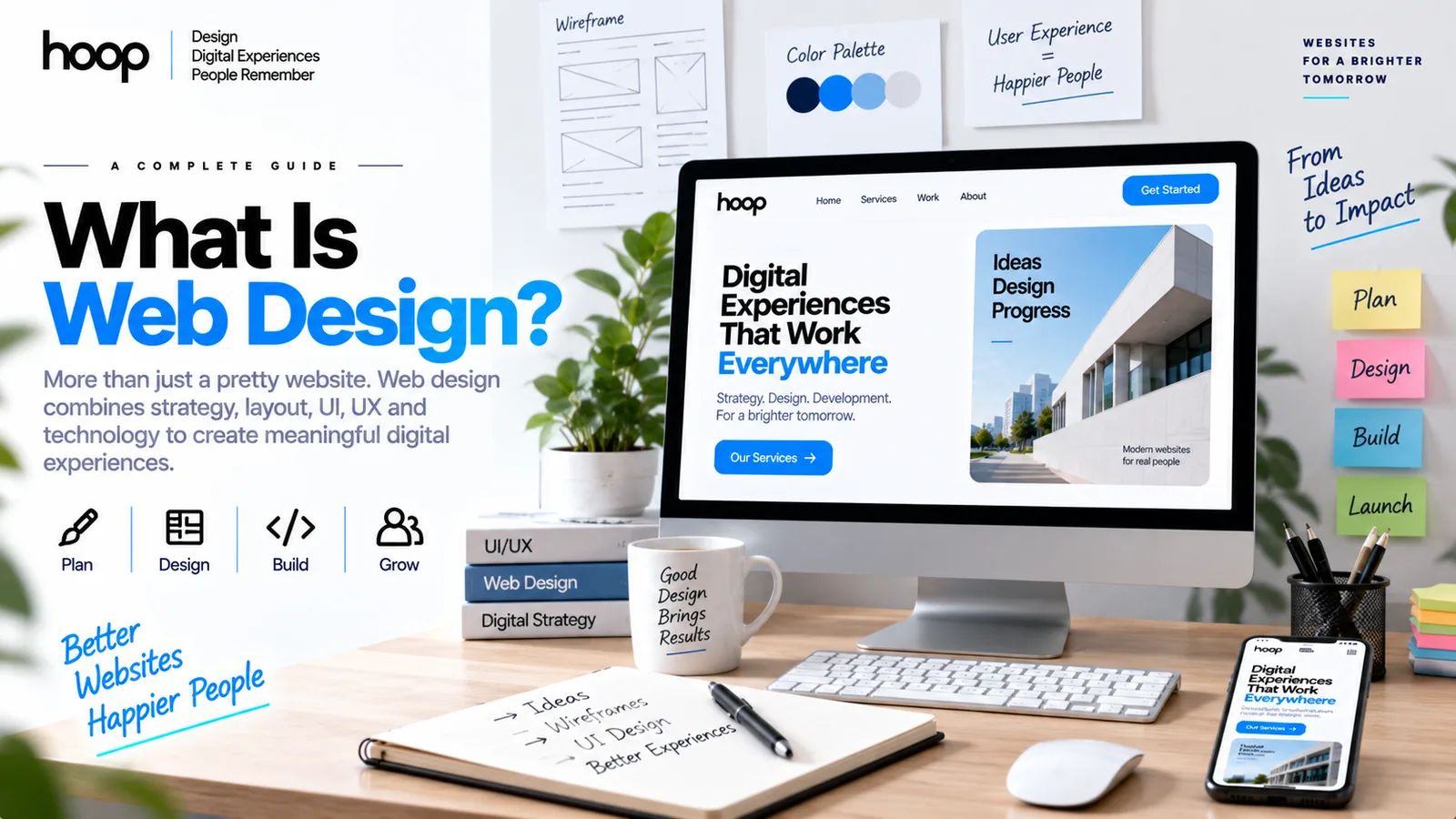
Web design is the process of planning a website’s layout, visual style, navigation, user experience, and responsive behavior. Professional web design combines UI, UX, wireframes, prototypes, design systems, and developer handoff.
Sahar
Content Writer
Web design is the process of planning and shaping how a website looks, feels, and works for users. It covers layout, navigation, typography, color, responsive behavior, accessibility, wireframes, prototypes, and reusable interface systems.
A strong website does more than look polished. Good web design helps visitors understand the page, find the right information, and complete a clear action without confusion.
Need this done right?
Hoop builds the strategy, design and development behind sites like this one — talk to us about yours.
What Does Web Design Actually Include?
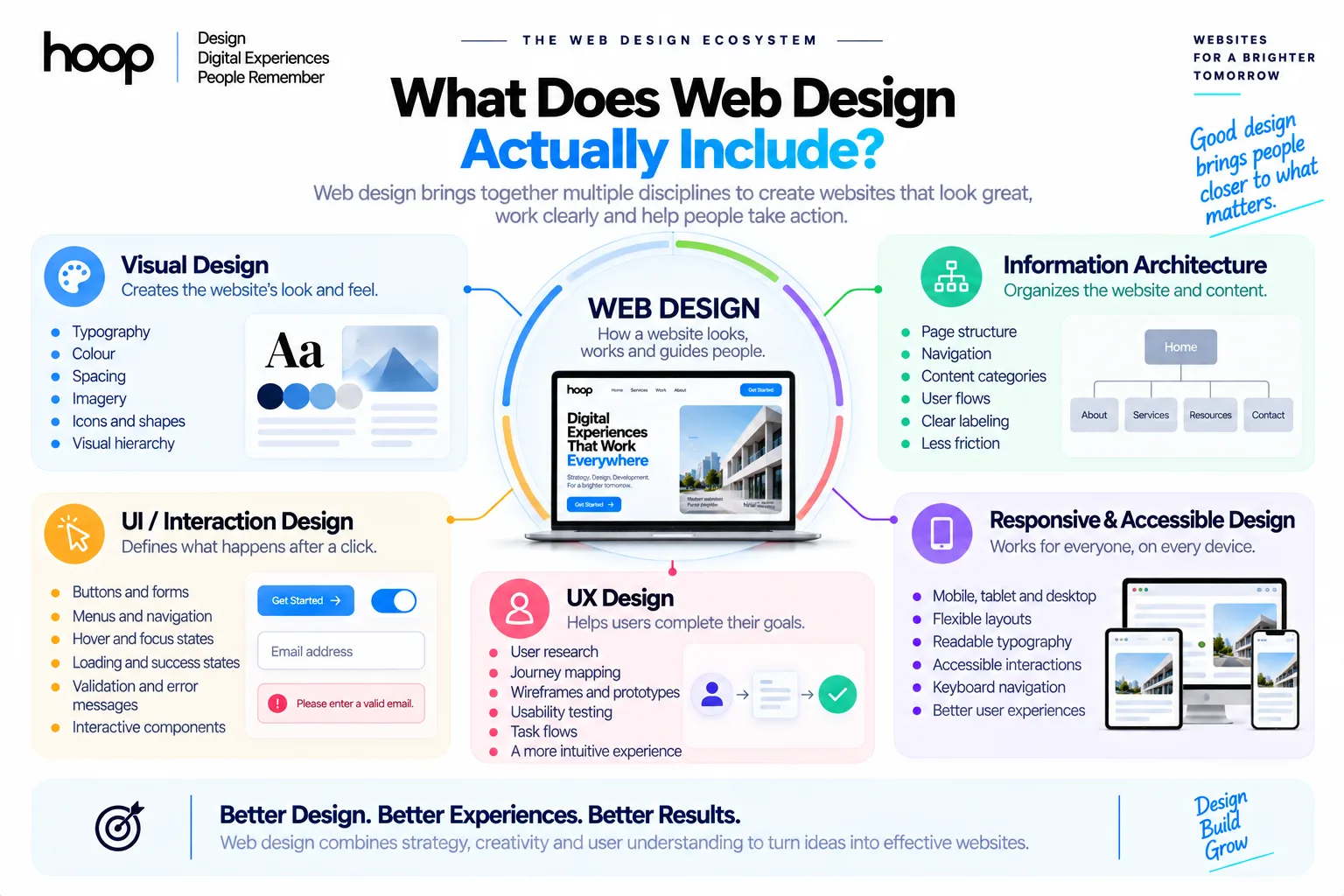
Web design combines visual design, user experience, information architecture, responsive layout planning, and interface behavior. The work begins before colors, photographs, or polished screens appear.
Visual Design Creates the Website’s Look
Visual design controls the appearance of a website. A designer chooses typography, color, spacing, imagery, icons, shapes, borders, and visual emphasis.
Every visual choice should support hierarchy. The page should make important content easier to notice than secondary content.
A designer also creates consistency across pages. Repeated elements, such as buttons, cards, forms, and headings, should follow the same visual rules.
Information Architecture Organizes the Website
Information architecture decides how pages, sections, and navigation fit together. A website can look attractive and still fail if users cannot find what they need.
Designers map navigation before polishing screens. Common structures include service categories, product collections, resource hubs, account areas, and support sections.
Clear information architecture also reduces unnecessary clicks. Users should understand where they are and where to go next.
Interaction Design Defines What Happens After a Click
Interaction design controls how interface elements respond to user actions. Buttons, menus, forms, tabs, filters, accordions, sliders, and modals all need predictable behavior.
The designer specifies hover states, focus states, loading states, validation messages, success states, and error states.
These details matter because a static screenshot cannot explain every user interaction.
Web Design vs Web Development: What Is the Difference?
Web design plans the experience. Web development builds the working website from code and technical systems.
| Web Design | Web Development |
|---|---|
| Plans page layouts | Builds layouts with code |
| Creates wireframes and prototypes | Implements working pages |
| Defines typography and color | Applies styles with CSS |
| Designs navigation and user flows | Programs navigation behavior |
| Plans responsive layouts | Builds responsive behavior |
| Creates reusable components | Turns components into production code |
| Uses Figma and design tools | Uses HTML, CSS, JavaScript, and frameworks |
Frontend developers often work directly from approved designs. Backend developers handle systems such as databases, authentication, payments, and application logic.
Smaller teams sometimes combine design and development roles. Larger teams usually separate responsibilities so specialists can focus on each discipline.
If your project needs accounts, dashboards, workflows, or data systems, web application development enters the build stage after design.
Web Design vs UI Design vs UX Design
Web design overlaps with User Interface design and User Experience design. The terms do not mean exactly the same thing.
UI Design Controls the Visible Interface
User Interface (UI) design focuses on the visual and interactive elements people use directly.
UI designers work on buttons, forms, navigation bars, cards, menus, typography, colors, iconography, and component states.
A strong UI makes actions easy to identify. A weak UI forces users to guess which elements are interactive.
UX Design Controls How Users Complete Tasks
User Experience (UX) design focuses on how people move through a website. UX also measures how easily users complete goals.
UX work can include user research, journey mapping, information architecture, wireframes, usability testing, and task flows.
A polished interface can still have poor UX. A beautiful checkout page fails if users cannot understand delivery options or payment errors.
A professional UI/UX design process combines research, structure, interface design, testing, and refinement before development begins.
Web Design Connects UI and UX Inside a Website
Web design applies UI and UX decisions to websites. The designer considers pages, navigation, content hierarchy, responsive behavior, branding, and website-specific interactions together.
The exact role depends on the team. One company may call the role Web Designer, while another uses Product Designer or UX/UI Designer.
What Does a Web Designer Actually Do?
A web designer turns business goals and user needs into a structured visual system that developers can build.
A professional project usually includes research, wireframes, visual design, responsive layouts, prototypes, design systems, and developer handoff.
Research Comes Before Polished Screens
Designers first need to understand the business, audience, competitors, content, goals, and technical constraints.
Useful questions include:
- Who uses the website?
- What does each visitor need?
- Which pages matter most?
- Which actions drive value?
- Which content already exists?
- Which technical limits affect the interface?
Research prevents teams from designing attractive pages around weak assumptions.
Wireframes Define Structure
A wireframe is a simplified page layout. Wireframes show where major elements will appear before detailed styling begins.
A wireframe can include headers, navigation, hero sections, forms, content blocks, calls to action, sidebars, and footers.
Low-fidelity wireframes help teams change structure quickly. Moving a gray box takes less time than rebuilding a polished interface later.
Prototypes Test the Experience
A prototype connects screens and simulates important interactions before development finishes.
Designers use prototypes to test navigation, menus, forms, modals, buttons, and user journeys.
Prototypes help stakeholders experience the website rather than interpret separate static screens.
The Main Elements of Good Web Design
Good web design creates clarity, consistency, responsiveness, accessibility, and strong visual hierarchy.
Visual Hierarchy Guides Attention
Visual hierarchy tells users what to notice first.
Designers control hierarchy through size, contrast, spacing, alignment, position, weight, and grouping.
A page should usually make the main heading, core message, and primary action easy to identify within seconds.
Typography Supports Readability
Typography affects readability, tone, hierarchy, and brand perception.
Designers choose font families, sizes, weights, line heights, letter spacing, and text widths.
Long paragraphs need comfortable line lengths. Small body text or weak contrast can make an otherwise polished design difficult to use.
Navigation Reduces Friction
Navigation should help users predict where links will take them.
Common navigation patterns include top navigation, mobile menus, breadcrumbs, side navigation, footer navigation, and in-page anchors.
Complex websites need stronger information architecture because users have more possible destinations.
Accessibility Expands Usability
Accessible web design considers keyboard navigation, focus visibility, text contrast, form labels, readable content, and reduced-motion preferences.
Accessibility should influence design before development. Retrofitting accessibility after launch usually creates more rework.
What Is Responsive Web Design?
Responsive web design adapts a website to different screen sizes and viewing conditions. Modern websites must work across desktops, laptops, tablets, and smartphones.
MDN describes responsive web design as an approach that makes layouts adapt across device sizes and resolutions.
Responsive Layouts Change Structure
Responsive design does not simply shrink a desktop page.
A 4-column desktop layout may become 2 columns on a tablet and 1 column on a phone.
Navigation can also change. A wide desktop menu may become a compact mobile menu when space becomes limited.
Breakpoints Control Layout Changes
Breakpoints are screen widths where the layout changes because the existing arrangement no longer works well.
Designers should choose breakpoints based on content behavior rather than copying device sizes blindly.
Developers then implement those layout changes with CSS, flexible grids, media queries, and responsive components. Our guide to responsive web design covers the building blocks in detail.
Images and Typography Also Need Responsive Rules
Responsive images should fit their containers without distortion or overflow.
Typography may need different sizes and spacing on narrow screens.
Buttons and form controls also need enough space for touch interaction on mobile devices.
What Is Figma Used for in Web Design?
Figma is a collaborative design tool used for wireframes, interface design, prototypes, components, and design systems.
Figma does not replace the website’s production code. Figma defines how the website should look and behave before developers implement the design.
Designers Build Wireframes in Figma
Figma lets designers create low-fidelity page structures before visual styling begins.
Teams can compare layout options, rearrange sections, and review page hierarchy quickly.
Designers Create High-Fidelity Interfaces
After structure approval, designers apply typography, color, spacing, icons, imagery, and component styles.
High-fidelity screens show what the final interface should look like across key pages and states.
Components Keep Interfaces Consistent
Reusable Figma components can represent buttons, forms, navigation bars, cards, modals, tabs, and alerts.
When a design system changes, designers can update shared components instead of editing every screen manually.
What Is a Website Design System?
A website design system is a documented set of reusable visual rules, components, and interface patterns.
A design system helps designers and developers maintain consistency as a website grows.
Design Tokens Define Reusable Values
Design tokens store repeated interface values. Common tokens include colors, spacing, border radii, typography scales, and shadows.
Teams can use the same values across design files and production code.
Components Define Reusable Interface Parts
Components include buttons, inputs, cards, navigation items, alerts, tabs, tables, and modals.
Each component should include relevant states such as default, hover, focus, disabled, loading, and error.
What Happens During a Professional Web Design Project?
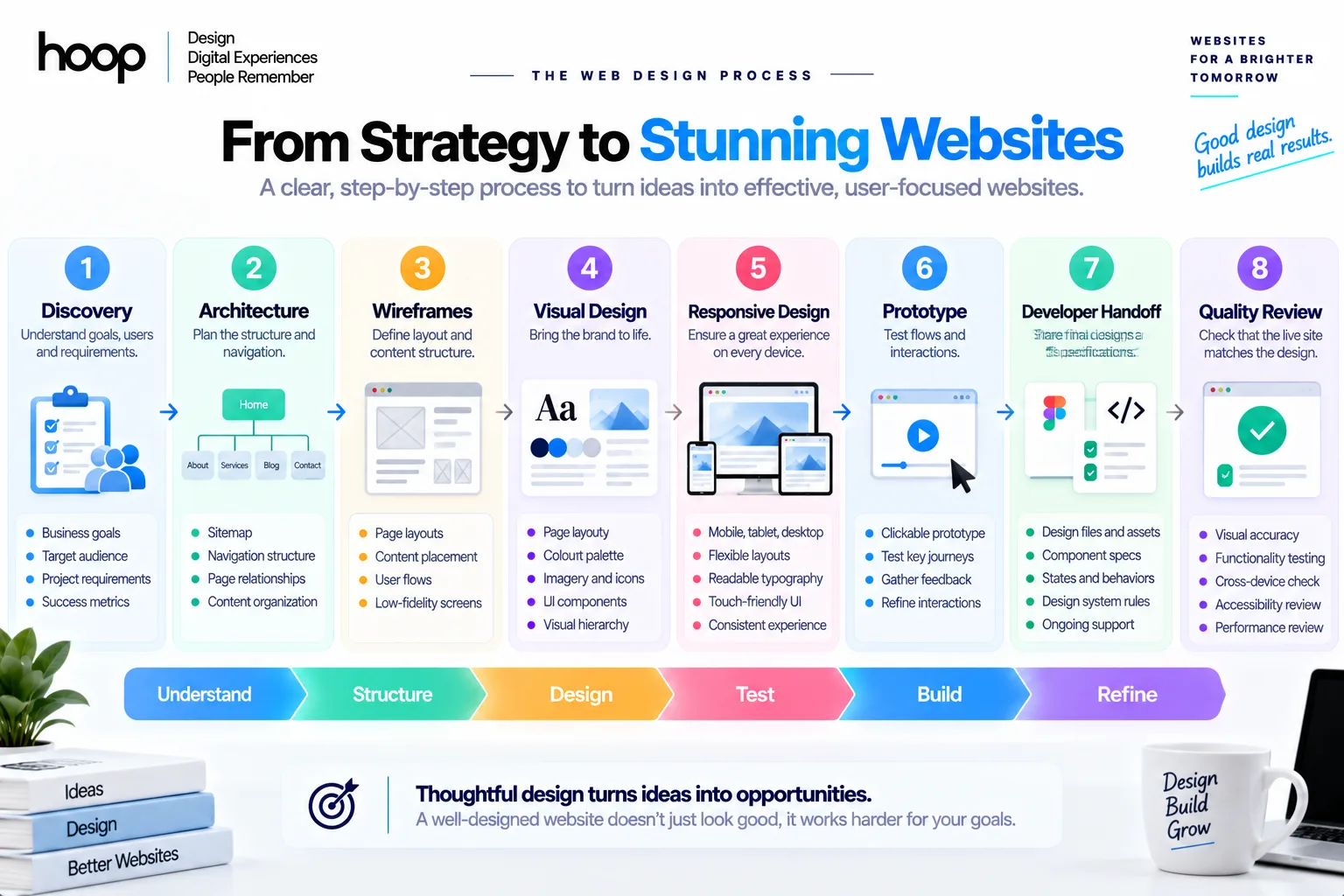
A professional web design project usually moves through discovery, structure, wireframes, visual design, responsive design, prototyping, handoff, and quality review.
| Stage | Main Output | Main Question |
|---|---|---|
| Discovery | Goals, users, requirements | What must the website accomplish? |
| Architecture | Sitemap and navigation | How should content be organized? |
| Wireframes | Page structures | What belongs on each page? |
| Visual design | High-fidelity screens | How should the interface look? |
| Responsive design | Mobile and tablet layouts | How should layouts adapt? |
| Prototype | Clickable flows | Does the experience make sense? |
| Handoff | Specs and assets | Can developers build it accurately? |
| Quality review | Design QA | Does the live website match the design? |
Discovery Defines the Problem
Discovery clarifies audience needs, business goals, content requirements, technical limitations, and project scope.
Good discovery prevents teams from designing the wrong solution accurately.
Architecture Maps the Website
The team creates a sitemap and plans navigation, page relationships, and key conversion paths.
Large sites benefit from stronger taxonomy and navigation planning.
Design and Prototype Refine the Interface
Wireframes establish page structure. Visual design adds the brand and interface system.
The prototype tests important flows before developers spend time implementing every interaction.
Developer Handoff Connects Design to Code
Designers provide component specifications, responsive behavior, spacing rules, assets, and interaction notes.
Developers then translate those decisions into HTML, CSS, JavaScript, frameworks, and backend systems.
A close designer-developer workflow reduces interpretation mistakes.
Custom Web Design vs Website Builders
Website builders and custom web design solve different problems.
Website builders suit projects that need speed, lower complexity, and standard layouts. Custom design suits projects that need distinct branding, complex journeys, specialized interfaces, or unusual functionality.
When a Website Builder Makes Sense
Website builders can work well for portfolios, simple business sites, event pages, and startup websites.
Templates can reduce production time because basic layouts and components already exist.
A builder still needs thoughtful content, navigation, imagery, and page structure.
When Custom Web Design Makes Sense
Custom design becomes more valuable for unique positioning, complex navigation, custom forms, dashboards, and specialized interactions.
Custom design also gives teams more control over responsive behavior and reusable components.
A single-purpose campaign can benefit from dedicated landing page design when the page needs one offer and one conversion path.
Does a Web Designer Need to Know Code?
A web designer does not always need to write production code, but technical knowledge improves design decisions.
Designers benefit from understanding HTML, CSS, responsive layouts, browser behavior, and component-based development.
Coding Knowledge Improves Feasibility
A designer who understands layout systems can avoid concepts that become unnecessarily difficult to build.
Technical awareness also improves conversations with frontend developers.
What Makes Good Web Design?
Good web design helps users understand content, navigate confidently, and complete actions without unnecessary friction.
A strong design usually has 8 qualities:
- Clear visual hierarchy
- Predictable navigation
- Readable typography
- Responsive layouts
- Accessible controls
- Consistent components
- Focused content
- Clear calls to action
Good Design Reduces Decision Friction
Users should not need to study the page before understanding the main action.
A service page should make the service, audience, proof, and next step easy to find.
Good Design Supports Conversion Paths
Web design should make the desired next step visible. Different page types still need different layouts.
A homepage, service page, product page, and checkout page each have different jobs.
How Does Web Design Support Business Goals?
Web design supports business goals by making information easier to understand and actions easier to complete.
Design cannot fix a weak offer, but it can remove interface barriers that stop interested users from acting.
A strong page hierarchy clarifies the offer, audience, proof, and next step.
Forms, buttons, navigation, and calls to action should match the user’s stage in the journey.
Businesses with aging navigation or inconsistent components may need a structured website redesign service instead of isolated styling fixes.
Common Web Design Mistakes
Many weak websites fail because the design creates unnecessary friction.
Mistake 1: Designing Before Understanding the User
A polished interface cannot compensate for unclear goals or missing user research.
Start with the problem, audience, and content before visual styling.
Mistake 2: Treating Mobile as a Smaller Desktop
Mobile users need layouts designed around limited width, touch interaction, and changing content priorities.
Responsive design should change structure when needed.
Mistake 3: Using Too Many Visual Styles
Too many colors, button styles, fonts, card patterns, and spacing rules create noise.
A design system reduces unnecessary variation.
Mistake 4: Ignoring Empty, Loading, and Error States
Real websites do not always show perfect content.
Forms fail, searches return no results, dashboards load, and accounts lose connection.
Designers should plan those states before development.
Mistake 5: Prioritizing Originality Over Usability
Distinctive design can strengthen a brand. Unfamiliar interaction patterns can also confuse users.
Creative decisions should preserve clear navigation and predictable controls.
Web Design Is Structure Before Style
Web design combines visual design, information architecture, UI, UX, responsive behavior, accessibility, and reusable interface systems.
The strongest websites begin with user needs and business goals. Teams then move through wireframes, prototypes, responsive layouts, and developer handoff.
If you need a website built around clear structure and responsive behavior, explore Hoop Interactive’s professional web design services.
“Moving a gray box takes less time than rebuilding a polished interface later.”
Key takeaways
- 01Design plans the experience; development builds it — the two roles need different outputs.
- 02Information architecture and wireframes come before any polished screen.
- 03A design system keeps a growing site consistent through tokens and reusable components.
- 04A full project runs discovery → architecture → wireframes → visual → responsive → prototype → handoff → QA.
Written by
Sahar
Content Writer
Frequently Asked
Questions
Everything you need to know before booking a strategy call. Can't find your answer? Contact us directly.
Web design is the process of planning how a website looks, works, and guides users through content and actions.
No. Web design plans the interface and user experience, while web development builds the working website with code and technical systems.
Yes. Designers use Figma for wireframes, high-fidelity screens, components, design systems, and interactive prototypes.
Yes. Web design often combines UI and UX decisions inside a website. Larger teams may assign those disciplines to separate specialists.
Yes. Templates can speed up simple projects. Professional design still adds value through research, structure, responsive behavior, branding, usability, and custom interfaces.