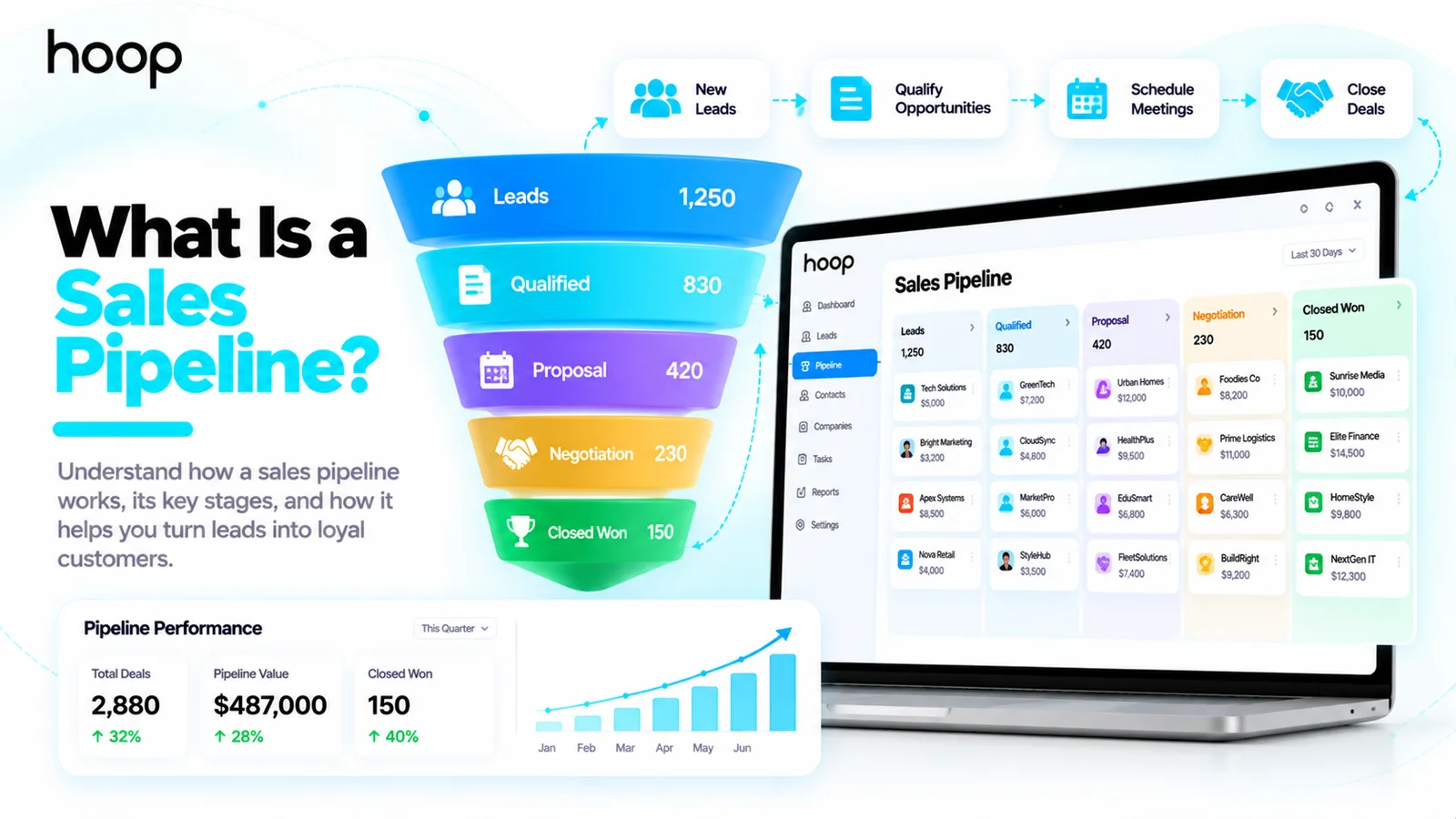
What Is a CRM System? Meaning, How It Works, and Examples
A CRM system keeps the contact, the conversation, the deal stage, and the next action in one record. Capture, log, assign, update — then repeat it for every customer.
Sahar
Content Writer
A CRM system is software that stores customer information, records interactions, and helps businesses manage sales and service relationships. Customer relationship management (CRM) software also organizes follow-ups, tracks opportunities, and gives teams a shared view of each customer. You can use a CRM to see who contacted your business, what they need, and what should happen next.
Imagine a customer requests a quote on Monday. Your team records the request, sends a proposal on Tuesday, and schedules a Friday follow-up. A CRM keeps the contact, quote, activity history, and reminder in 1 accessible record. Your next salesperson can continue the conversation without asking the customer to repeat everything.
A customer spreadsheet stores names and numbers. A CRM connects customer records with tasks, conversations, deal stages, and reporting. That difference matters when you handle more inquiries than one person can remember.
Need this done right?
Hoop builds the strategy, design and development behind sites like this one — talk to us about yours.
What Does CRM Stand For in Business?
CRM stands for customer relationship management. The term describes both a business approach and the software that supports customer relationships. Customer relationship management focuses on organized communication throughout the customer lifecycle, from the first inquiry to later purchases and support.
For example, a dental clinic tracks appointment requests and patient communication. A software agency records discovery calls and project proposals. An online store follows repeat customer questions and purchase history. Each business uses a different workflow, but each needs accurate records and clear next actions.
CRM software does not automatically make customers loyal. Your team still needs useful conversations, accurate information, and prompt service. The platform supports those behaviors by making relevant details easier to find.
How Does a CRM System Work Day to Day?
A CRM follows a practical loop: capture a contact, record the interaction, assign a next action, and update the outcome. Your business can repeat that loop through every sales and service conversation.
1. Capture a lead or customer record
To capture a lead, connect your website inquiry form or add the contact manually. Save essential details, including the contact name, company, email, product interest, and original inquiry. Add only information your team genuinely needs to serve the customer. Ask permission before using contact details for marketing.
2. Record calls, emails, and meetings
To record an interaction, write a short note after the conversation and attach relevant messages when your software supports the connection. Note the customer problem, promised action, owner, and agreed deadline. For instance, record “Needs inventory dashboard; proposal requested by Thursday” rather than “Good call.” Clear notes help your colleagues act.
3. Move the opportunity through deal stages
To track a deal, assign a stage that describes the current sales situation. A small agency can use New Inquiry → Qualified → Proposal Sent → Negotiation → Won or Lost. Set stage definitions so 2 salespeople classify similar opportunities consistently. Your dashboard then shows which deals need attention.
4. Set the next follow-up task
To schedule follow-up work, assign an owner, date, and specific action. For example, a salesperson can call a prospect 3 business days after sending a proposal. A reminder helps prevent the deal from disappearing into an inbox. Use personalized replies for complex objections instead of sending the same scripted message repeatedly.
5. Review results and customer history
To review performance, filter the pipeline by status, owner, estimated value, or overdue tasks. Managers can inspect bottlenecks, but reports only reflect the quality of entered data. After a sale, maintain the customer record for onboarding, renewals, service requests, and account management.
What Information Does CRM Software Store?
A CRM stores contact records, company details, communication history, opportunities, and scheduled tasks. Advanced systems also connect invoices, service cases, subscriptions, and marketing preferences. Your business should avoid collecting sensitive details without a clear purpose and adequate safeguards.
- Contact profile: name, business email, role, and preferred communication method.
- Company record: industry, location, website, and assigned account manager.
- Opportunity details: service requested, estimated value, stage, and expected decision date.
- Activity history: calls, meetings, proposals, messages, and customer questions.
- Tasks and tickets: follow-up reminders, assigned owners, requests, and resolution status.
A useful record answers 3 questions: Who is the customer? What happened previously? What happens next? Avoid requiring dozens of mandatory fields when your team only needs a small set to move a deal forward.
What Are the Main Features of a CRM System?
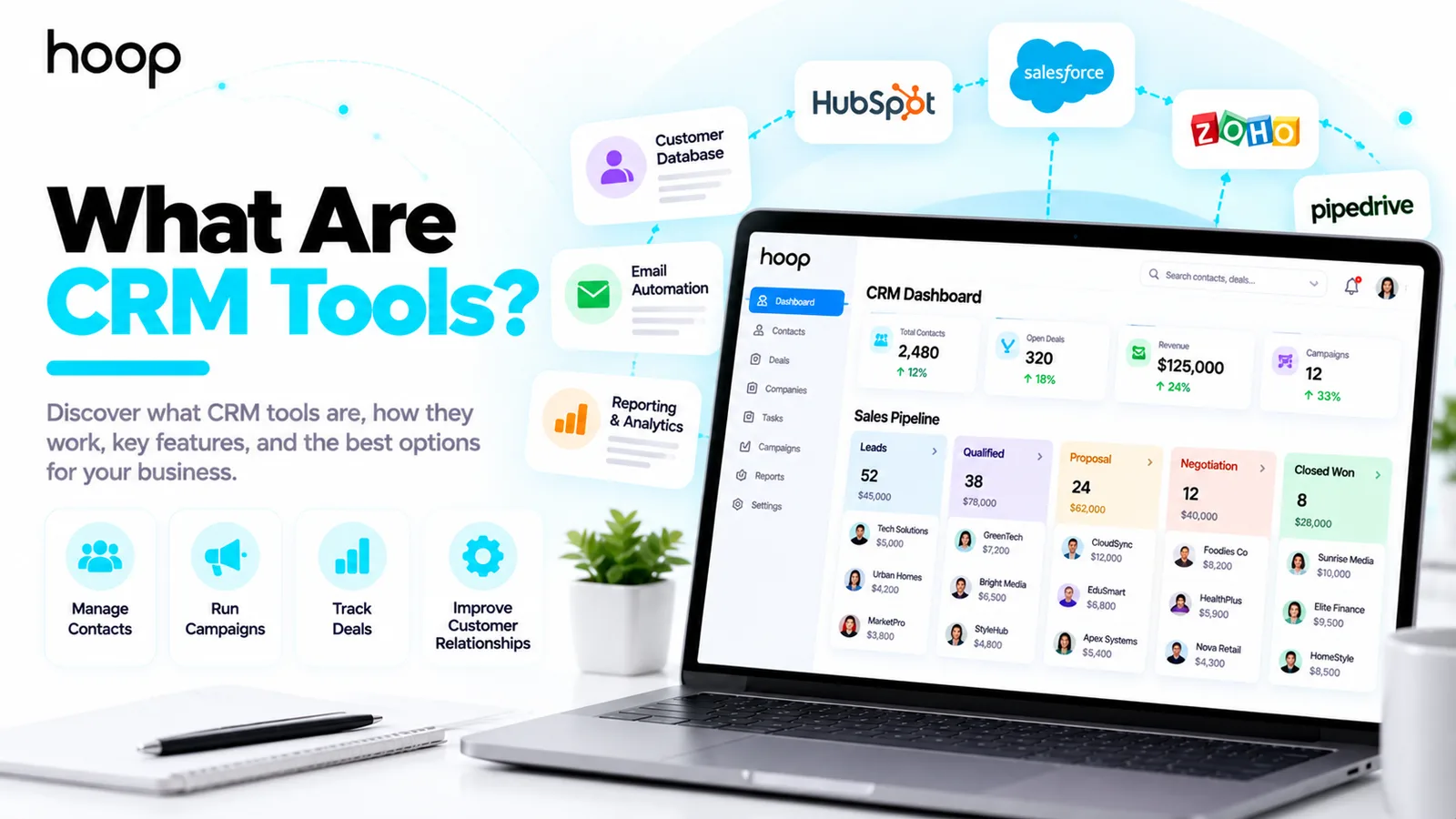
Contact and account management
Contact management collects personal and company records in one searchable place. Your sales team can connect multiple contacts to the same business account. For example, a software vendor can track a purchasing manager, IT lead, and finance approver under 1 customer account.
Sales pipeline and lead management
Pipeline management shows active deals and their stages. Your team can prioritize urgent opportunities, inspect aging proposals, and track which sources generate customers. A CRM supports lead qualification, but your team must define what a qualified lead means.
Workflow automation and reporting
Workflow automation runs predefined tasks after a trigger, such as a form submission or a status change. Reports summarize sales activity, conversion rates, and pipeline value. For customer communications, email automation workflows can connect CRM records with relevant, permission-based messages.
Customer service and integrations
Some CRM platforms offer help desks, ticket routing, and shared support histories. Integrations connect other business systems, including accounting, email, calendars, and ecommerce software. Your data permissions and sync rules matter because duplicate contacts or incorrect updates create confusion.
What Are the 3 Main Types of CRM Systems?
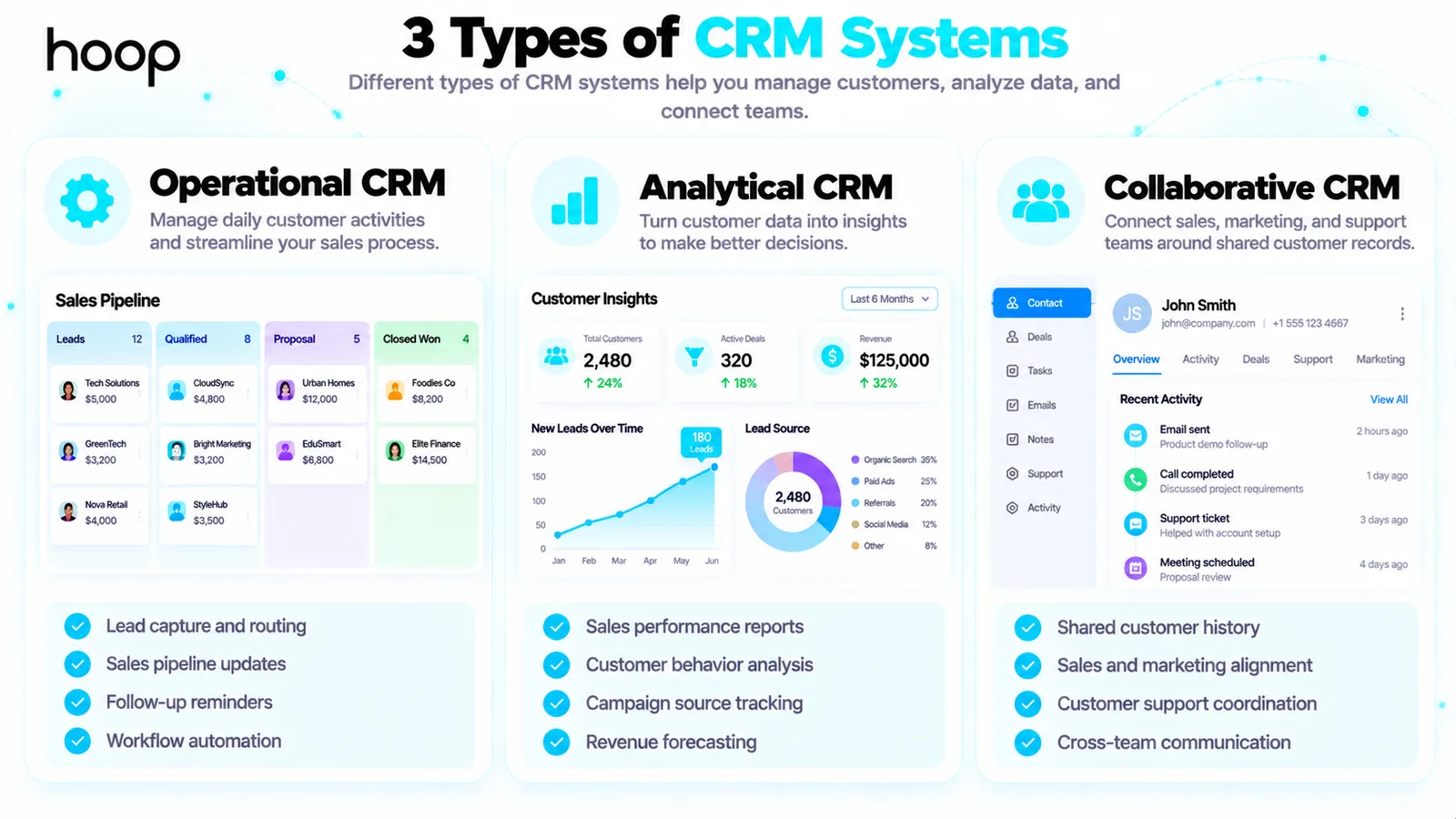
Businesses often group CRM software into operational, analytical, and collaborative categories. A modern product can combine all 3 categories, so the labels describe capabilities rather than separate software requirements.
Operational CRM for daily work
Operational CRM supports contact capture, pipeline updates, task assignments, and automated actions. A service company uses operational features to route incoming inquiries and remind representatives to follow up. The focus is organized execution.
Analytical CRM for business decisions
Analytical CRM helps teams interpret customer and sales information. A manager reviews which campaign sources produce qualified deals and where opportunities stall. Data quality and sufficient sample size determine whether those patterns support useful decisions.
Collaborative CRM for shared customer context
Collaborative CRM keeps sales, marketing, and support teams aligned around records and activities. A support representative can see prior purchases while an account manager reviews an unresolved service request. The focus is coordinated communication, with access restricted by role.
How Is CRM Different From a Spreadsheet, ERP, or Marketing Automation?
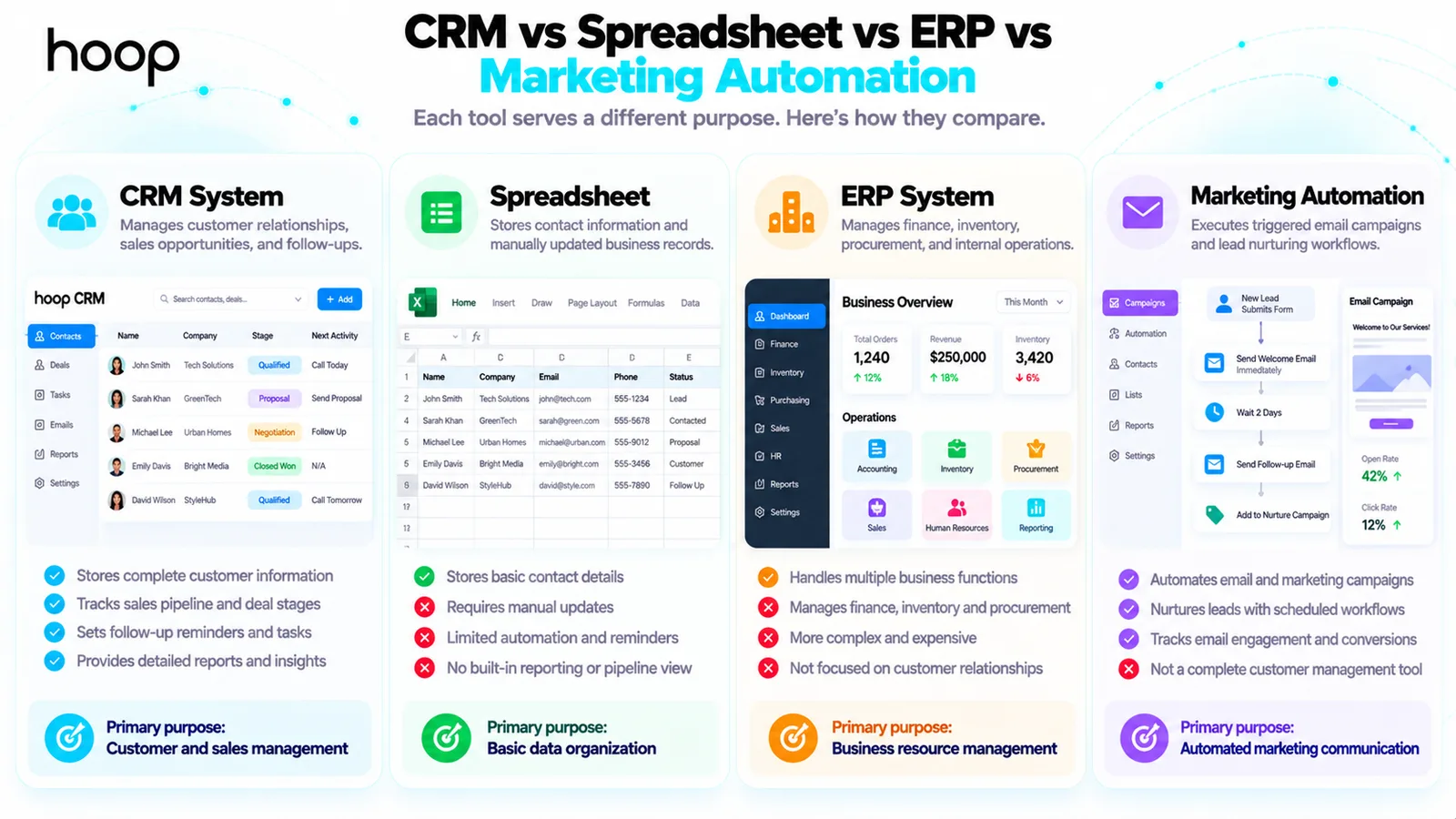
A spreadsheet works for basic contact lists. A CRM adds relationship history, ownership, pipeline stages, task reminders, and connected workflows. An enterprise resource planning (ERP) system primarily manages internal resources such as inventory, finance, procurement, and operations. Marketing automation handles triggered campaign activity, while CRM manages broader customer and sales records.
A small business can start with a spreadsheet when inquiries stay limited and 1 person handles every conversation. A CRM becomes more useful when several people need a consistent record or missed follow-ups start costing sales. ERP and CRM often exchange data, but neither replaces every function of the other.
What Are the Benefits and Limits of a CRM System?
The main benefits are clearer customer information, fewer forgotten tasks, stronger team coordination, and measurable pipeline activity. Your business gains visibility into open opportunities and customer history. Benefits depend on people updating records and following defined processes.
CRM software also creates responsibilities. You need to clean imported contacts, train users, set access rights, and review automation. Subscription fees can increase with seats, advanced features, storage, and integrations. Migration and onboarding sometimes cost more than the initial subscription.
A CRM cannot repair an unclear offer, poor sales skills, or unqualified traffic. Automated emails can frustrate customers when your records contain mistakes. Keep sensitive customer information secure and follow applicable privacy and marketing rules.
What Does a CRM System Look Like in a Real Business?
Consider a fictional web development agency receiving 40 inquiries each month. The agency uses a contact form, discovery calls, and proposals. Without a shared system, 2 account managers sometimes contact the same prospect, and other prospects never receive a second reply.
The agency introduces a CRM with 5 deal stages and 4 required fields: contact, service, owner, and next action date. New website inquiries enter the first stage automatically. A manager assigns each record within 1 business day. Salespeople log calls and move deals after the next meaningful event.
On Friday, the manager reviews overdue follow-ups and proposals older than 14 days. The agency measures how many inquiries reach the qualified stage and how many qualified prospects become customers. These example figures describe a possible workflow, not a promised performance result.
The same idea applies to a wholesaler tracking retailer orders, a consultant managing proposals, or a repair service coordinating requests. Each business chooses record fields and stages based on its actual process.
How Do You Choose a CRM System for a Small Business?
To choose a CRM system, start with your customer workflow rather than the longest feature list. Decide what information your staff needs and which repetitive tasks cause the most problems. Then test tools with a real sample of prospects.
Choose the minimum features your team needs
Start with contact records, deal stages, reminders, search, and basic reporting. Add workflow automation only after staff members use the core records consistently. Compare platforms such as HubSpot, Zoho CRM, Pipedrive, Salesforce, and Microsoft Dynamics 365 using your requirements, not broad popularity claims. Our guide to CRM tools covers how those platforms differ in practice.
Check price, data ownership, and integrations
Compare the monthly or annual price per user, required add-ons, implementation effort, and data export options. Test connections to your existing email, forms, calendars, and accounting tools. When your systems require a custom connection, custom SaaS integrations can help move records between applications.
Run a small pilot before migrating everything
Select 2 staff members and test 10 realistic records over 2 weeks. Have each person log a call, update a deal, set a task, and find customer history. Fix confusing fields before importing the full database. The goal is adoption, not simply completing installation.
How Can You Set Up Your First CRM in 7 Steps?
To set up your first CRM, map the customer journey, clean your records, configure the pipeline, assign owners, and test follow-ups. Use the sequence below as a manageable starting plan.
| Task | Timing | Method | Difficulty |
|---|---|---|---|
| Map sales stages | Day 1 | List 4–6 stages | Low |
| Clean contact records | Days 1–2 | Remove duplicates | Medium |
| Configure core fields | Day 3 | Keep 4–8 fields | Low |
| Assign owners and access | Day 4 | Set user permissions | Medium |
| Connect inquiry forms | Days 5–6 | Test lead capture | Medium |
| Create follow-up reminders | Day 7 | Test task triggers | Low |
| Review pilot records | Week 2 | Audit 10 sample deals | Medium |
Make the first version easy to use. Document stage definitions and decide who corrects duplicate records. Keep one person accountable for maintaining field definitions. Expand integrations only after the sales team proves that the core workflow works.
How Do You Know Whether Your Business Needs CRM Software?
You should consider CRM software when customer information spreads across inboxes, follow-ups get missed, or employees cannot see the current deal status. Common signs include inconsistent ownership, duplicate outreach, weak reporting, and frequent requests to repeat customer details.
A solo consultant with 5 active prospects can manage contacts through a spreadsheet and calendar. A growing team with 60 ongoing opportunities has stronger reasons to adopt a shared CRM. Those numbers illustrate different workloads; they are not universal purchase thresholds.
Check whether a better process would solve the problem first. Sometimes a shared template, clear owner, and weekly follow-up review offer enough improvement. When you need connected records, permissions, and workflow visibility, dedicated CRM software becomes more valuable.
Which CRM Mistakes Should You Avoid During Implementation?
One common mistake is importing an outdated contact list without checking duplicates, missing email addresses, and inactive accounts. Start by deciding which records have a legitimate business purpose. Archive or remove information that your team no longer needs. Then review how customer details move from an inquiry form into the CRM. A broken connection can create empty records or send customer messages to the wrong person.
Another mistake is adding too many sales stages. A pipeline with 15 unclear labels forces employees to guess where each opportunity belongs. Choose stages that reflect observable events, such as a completed discovery call or a submitted proposal. Document what staff must do before advancing each deal. Review the definitions after the pilot rather than rewriting the process every week.
Teams also struggle when management asks staff to enter the same information in 2 different systems. Remove duplicate work where possible, but test every new integration before switching off your old process. Give employees a fast way to report problems. Review incomplete records and overdue tasks during a short weekly meeting. Your CRM remains useful when the information stays current and staff understand the next action.
Build Better Customer Relationships With the Right CRM Process
A CRM system gives your business one place to manage customer records, track sales opportunities, and coordinate follow-ups. Start with clear stages, reliable data, and a workflow your team can maintain.
For help choosing, configuring, or improving your system, speak with Hoop Interactive about CRM setup and management.
“A useful record answers three questions: who is the customer, what happened previously, and what happens next?”
Key takeaways
- 01Operational, analytical, and collaborative describe capabilities, not three separate purchases.
- 02Four or five stages and a handful of required fields beat fifteen unclear ones.
- 03A spreadsheet is fine until several people need the same record, or follow-ups start slipping.
- 04Migration, training, and admin often cost more than the subscription.
Written by
Sahar
Content Writer
Frequently Asked
Questions
Everything you need to know before booking a strategy call. Can't find your answer? Contact us directly.
No. Marketing, customer service, and account management teams also use CRM records to coordinate communication and track customer needs.
Yes. Small businesses use CRM software to organize inquiries, follow-ups, and client history. Start with essential features instead of a complex rollout.
No. Excel stores data, while a CRM combines contact records with activities, reminders, deal tracking, and connected workflows.
No. A CRM primarily manages leads that your business collects. Some platforms include forms and marketing features that support acquisition.
Yes. Many CRM platforms connect with email, calendars, and accounting tools through native integrations or application programming interfaces. Check availability and permissions before setup.
Keep reading
All articles →
What Are CRM Tools? Features, Uses, and Real Examples
Oct 22, 2026 · 8 min read
What Is Sales Automation? How It Works, Examples, and Benefits
Oct 22, 2026 · 10 min read