What Are CRM Tools? Features, Uses, and Real Examples
A CRM connects contact records to activities, deals, tasks, and reporting so the next action is visible to the whole team. The right one is the one your staff actually keep updated.
Sahar
Content Writer
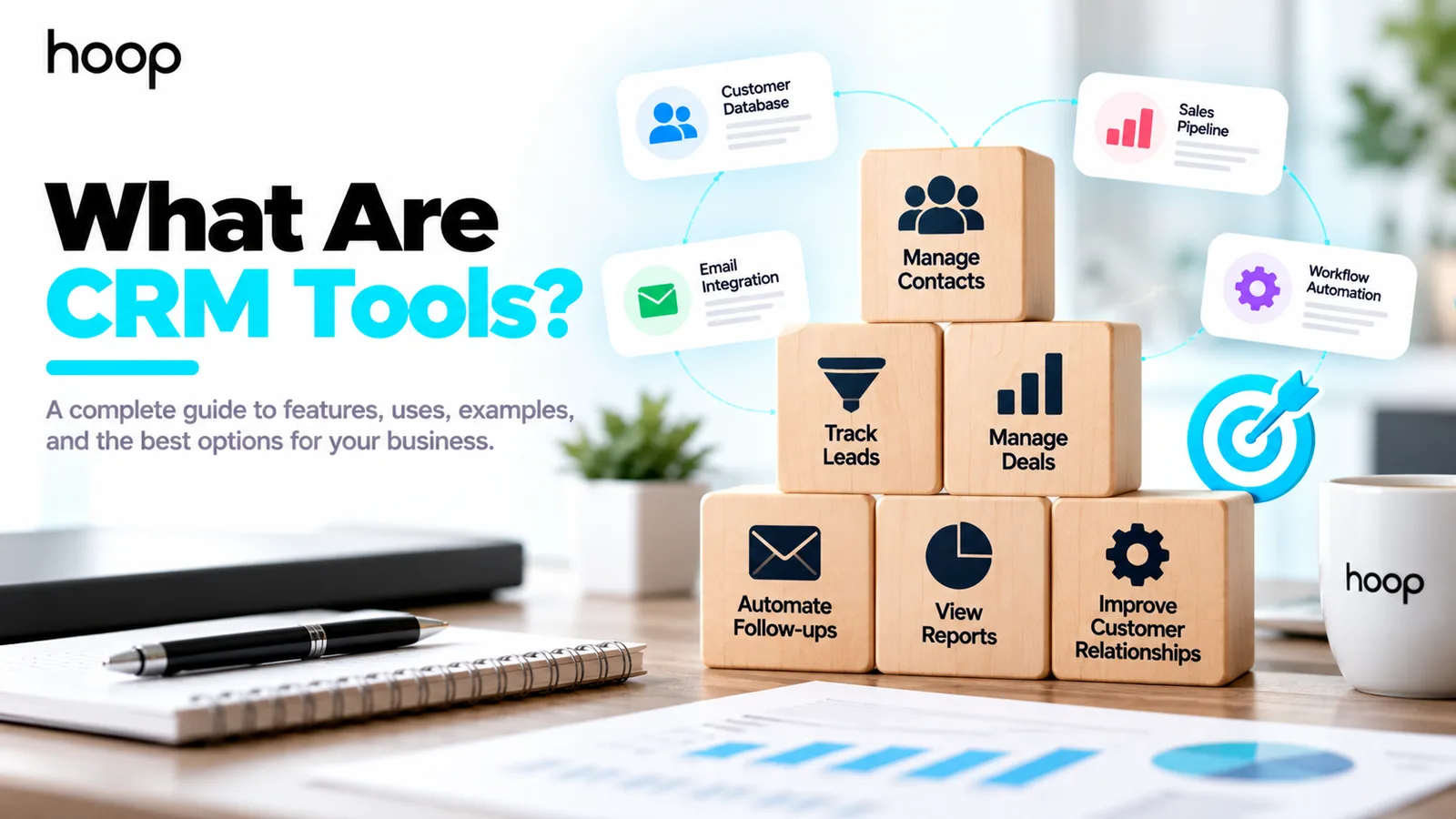
CRM tools are software applications that help businesses organize customer information, track sales conversations, manage follow-ups, and coordinate relationships. They give your team a shared record of each prospect or customer so important information does not stay scattered across inboxes and spreadsheets.
Customer relationship management (CRM) tools do more than store names and phone numbers. A useful CRM connects contact records with activities, sales opportunities, tasks, and reporting. The result is a clearer view of what happened, what needs attention, and who owns the next action.
For example, a design agency receives a request for a new website. Its CRM records the company, estimated project value, discovery call, proposal date, and next follow-up. A second employee can understand the opportunity without searching through private messages.
Need this done right?
Hoop builds the strategy, design and development behind sites like this one — talk to us about yours.
What Do CRM Tools Actually Do?
CRM tools collect customer details and connect those details to work your team performs. Most tools organize contacts, companies, activities, opportunities, tasks, and reports in separate but linked records.
Store customer and company records
A contact record can hold a person’s name, business email, job title, company, contact preferences, and conversation notes. An account record can connect several people to the same organization. Teams avoid treating every message as a completely new interaction.
Good recordkeeping starts with useful fields rather than every possible field. For a B2B agency, company name, service interest, owner, source, and next action provide a workable starting point.
Track leads and sales opportunities
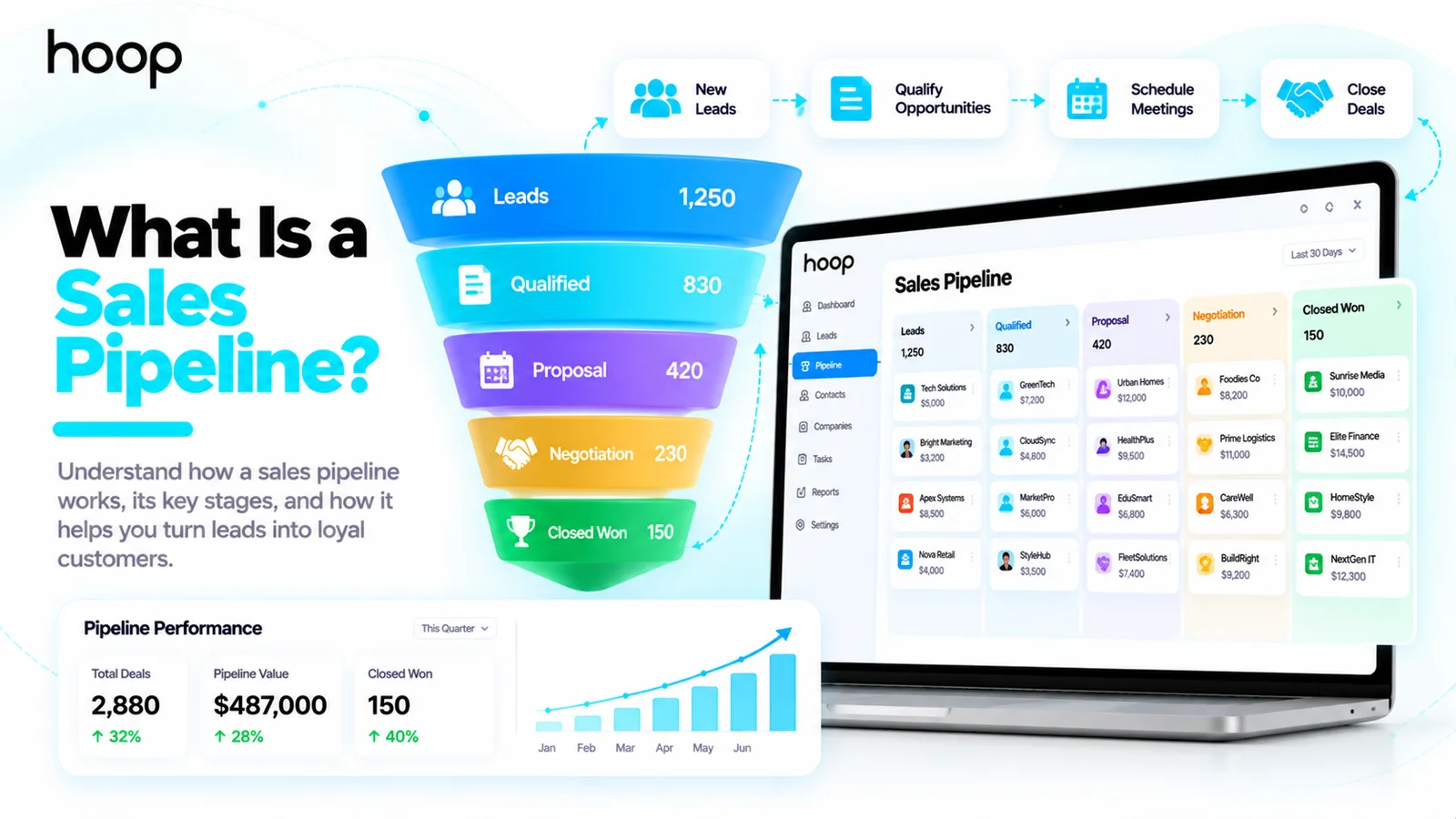
Sales teams use CRM pipelines to show whether a lead is new, qualified, in discovery, awaiting a proposal, or closed. The stages should reflect how your business sells. A software agency may add technical scoping and procurement; a local service company may not need either.
A contact is not the same thing as a deal. One customer can request several projects over time, while the CRM stores each opportunity separately.
Schedule follow-ups and record activities
CRM tasks remind owners to call a buyer, review a quote, or confirm a meeting. Some tools log connected email activity or calendar events. Automated reminders reduce missed opportunities, but your team still needs accurate tasks and ownership.
Report on customer and sales performance
CRM dashboards summarize open opportunities, conversion rates, deal values, response times, and activity volume. Forecasts depend on realistic deal amounts and consistent stage updates. A dashboard cannot repair incomplete or misleading records.
How Do CRM Tools Work in a Real Business?
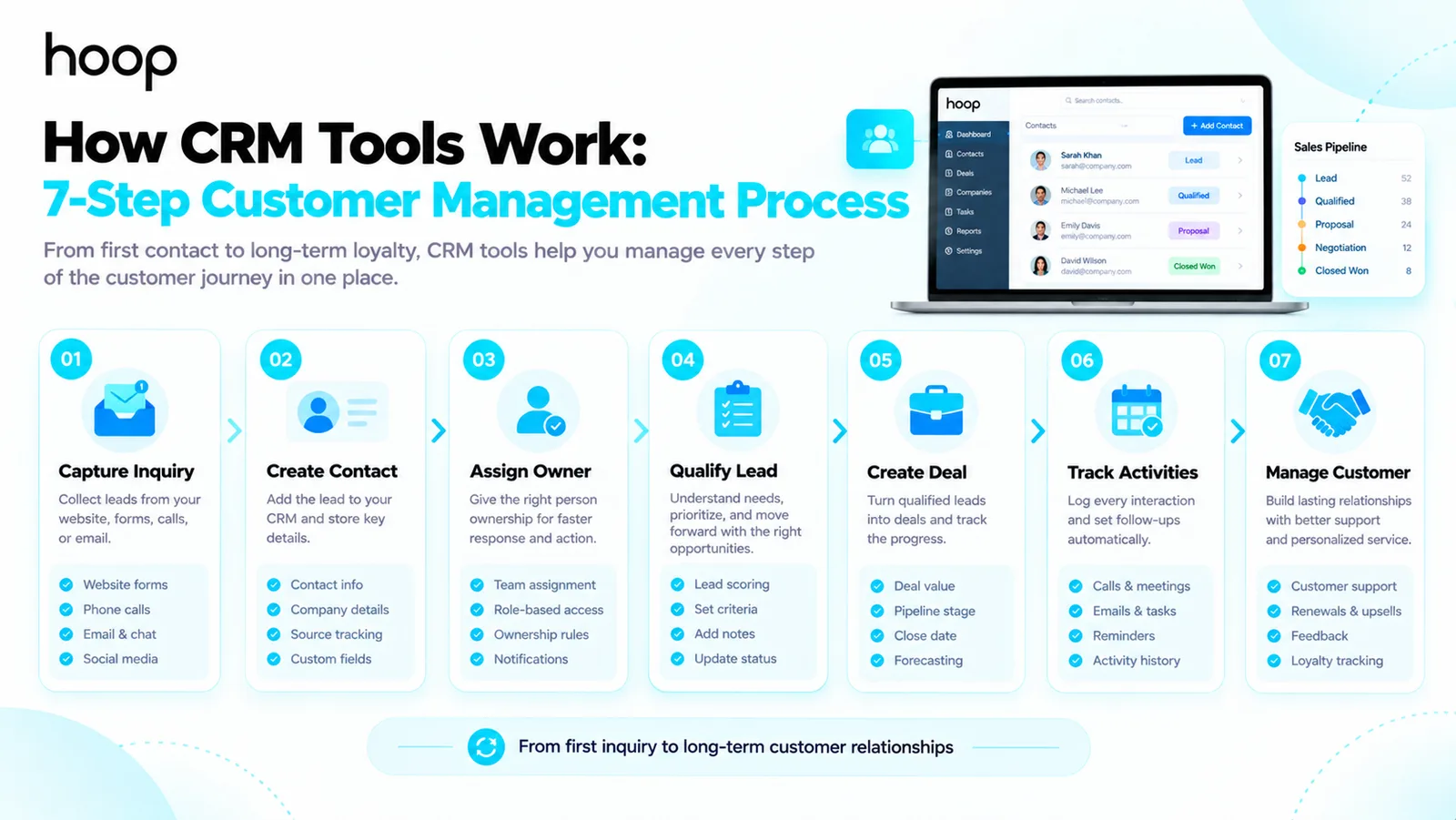
A practical CRM workflow starts when someone contacts your company and continues through delivery, support, or repeat purchases. The exact workflow depends on your business model.
- Capture an inquiry from a website form, phone call, email, or referral.
- Create or update the contact record and connect the person to a company.
- Assign an owner and set the next follow-up date.
- Qualify the need, timing, budget expectations, and decision process.
- Create a deal when the inquiry becomes a genuine sales opportunity.
- Record meetings, proposals, objections, and the final outcome.
- Retain relevant customer history for onboarding, service, and renewal.
Imagine a consultant receiving 15 inquiries in one week. Without a shared system, the consultant must remember who needs a proposal and who already received one. A CRM shows the next action for every opportunity in one place.
The practical benefit is continuity. New employees can review previous conversations, while managers can identify overdue follow-ups without manually checking every salesperson’s inbox.
What Are the Main Types of CRM Tools?
CRM tools often combine several functions, but 3 categories help you understand their primary purpose. Product labels vary, and one platform can serve more than one category.
Operational CRM tools
Operational CRM software supports daily sales, marketing, and service processes. Typical functions include pipeline tracking, appointment scheduling, activity history, workflow rules, and ticket routing. A growing agency often starts here because missed follow-ups create immediate problems.
Analytical CRM tools
Analytical CRM functions help teams examine conversion patterns, customer segments, retention, revenue, and forecasting. Managers use reports to understand which campaigns generate qualified opportunities and where deals stall. Useful analysis requires reliable source tracking.
Collaborative CRM tools
Collaborative CRM capabilities help sales, marketing, and support teams share the same customer context. A support agent can view the customer’s account history; a salesperson can see an unresolved issue before proposing an upgrade.
These categories describe functions, not separate product requirements. A company with 3 employees can start with contact tracking and a pipeline, then expand reporting and collaboration as needs grow.
Which CRM Tools Are Commonly Used by Businesses?
HubSpot, Salesforce, Zoho CRM, Pipedrive, and Microsoft Dynamics 365 are familiar examples. Each platform serves different team sizes, budgets, and workflow requirements. Feature availability depends on the specific subscription and configuration.
HubSpot and Pipedrive for clear daily workflows
HubSpot combines contact records with sales and marketing functions. Pipedrive emphasizes deal pipelines and sales activity management. Smaller teams often evaluate ease of adoption, email integration, and routine follow-up tasks before advanced customization.
Salesforce and Microsoft Dynamics 365 for complex organizations
Salesforce and Dynamics 365 support larger processes involving permissions, custom records, integrations, and multiple departments. Complexity creates flexibility but also increases implementation and training requirements. Large teams should map processes before configuring custom fields.
Zoho CRM for configurable sales management
Zoho CRM offers lead, contact, account, and deal modules alongside automation and reporting capabilities. Businesses already using other Zoho products may consider how the applications connect. An attractive subscription price alone does not reveal migration, setup, or staff-training costs.
The right choice is the CRM that fits your process and receives consistent use, not the platform with the longest feature list.
What Features Should You Look for in CRM Software?
Start with the work your employees must finish each day. Prioritize core tasks before optional dashboards, artificial intelligence features, or complex customizations.
| Task | CRM feature | Suggested first check | Difficulty |
|---|---|---|---|
| Remember follow-ups | Tasks and reminders | Create a due-date alert | Low |
| Track open business | Deal pipeline | Move a sample deal across stages | Low |
| Share customer history | Contact activity timeline | Log an email and call | Medium |
| Reduce duplicate entries | Import and deduplication | Test 20 sample contacts | Medium |
| Connect existing software | Email, calendar, forms, API | Run an end-to-end test | Medium |
| Control sensitive access | Roles and permissions | Test access with a second user | High |
Core features should include search, contact ownership, import and export, customizable deal stages, and reporting. Verify whether required integrations and permission controls appear in the plan you intend to purchase.
You should also test mobile usability if your team works in the field. A tool that requires too many screens to update one deal will encourage staff to skip updates.
Are CRM Tools Different From Spreadsheets and Email Software?
Yes. A spreadsheet stores structured information, while a CRM connects records to customer interactions, ownership, tasks, and deal progress. A spreadsheet works for a small static contact list. A CRM becomes more useful when relationships involve repeated follow-ups or several employees.
Email marketing software focuses on sending campaigns and managing subscriber communication. CRM software focuses on the individual relationship and its history. Many platforms combine both functions, so you should evaluate the specific features rather than the label.
A help-desk platform mainly organizes support requests. Some CRM suites include support modules, while other businesses connect a separate ticketing system. The right boundary depends on who needs access to which data.
An implementation should cover migration, pipeline design, training, and ongoing ownership. Review Hoop Interactive’s CRM setup and management services for the configuration and adoption work behind the software.
How Can You Choose CRM Tools for Your Business?
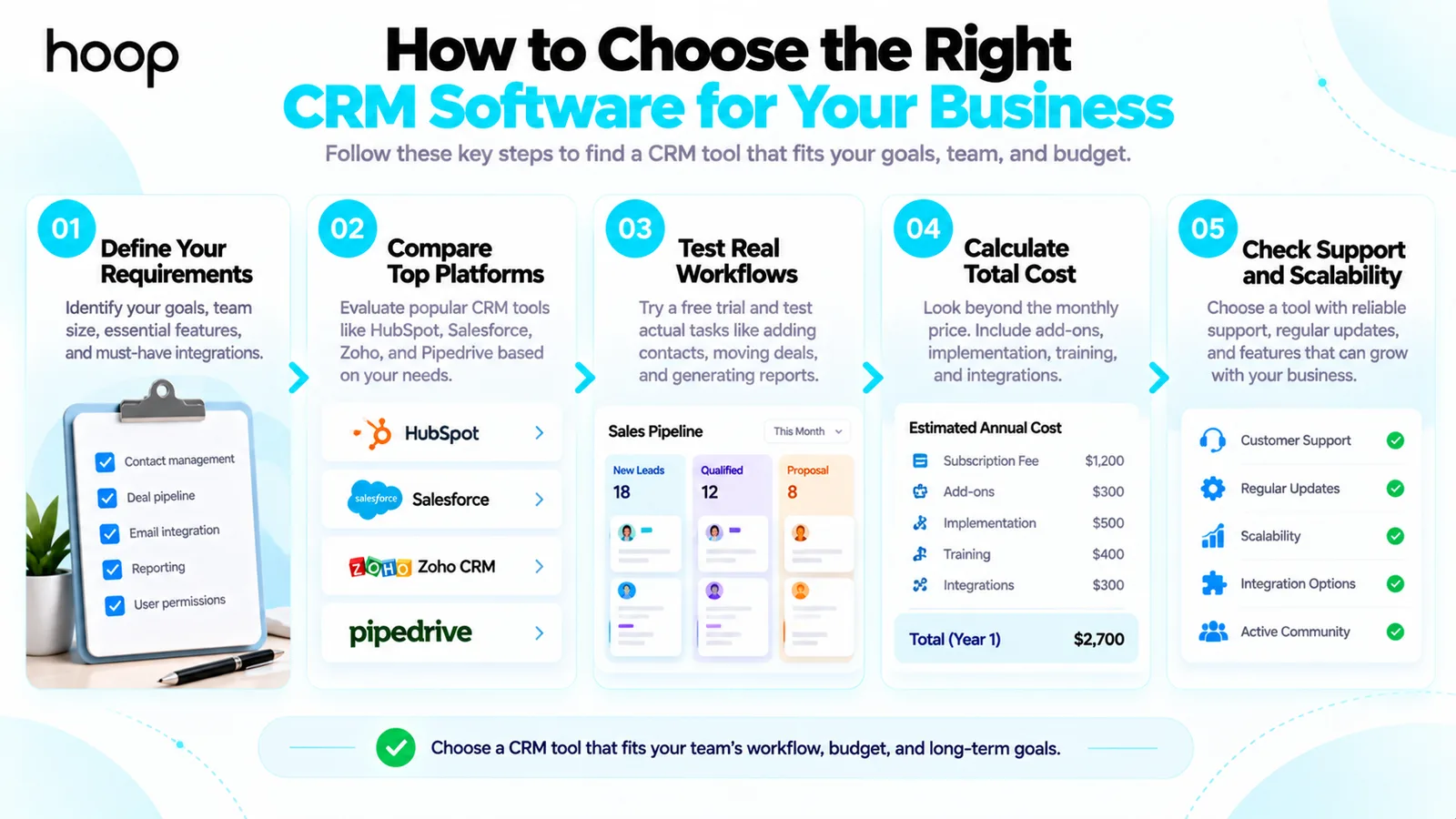
To choose CRM tools, document your sales process and test 2 or 3 candidates against genuine daily tasks. Avoid buying a platform before deciding which information your team needs to record.
Define 5 non-negotiable requirements
Write down the processes the CRM must support. For a B2B consultancy, 5 requirements could include contact ownership, pipeline stages, email history, reminders, and proposal reporting. Rank each requirement as essential or optional.
Test an actual customer journey
Import a small sample, create a lead, assign a task, send a message, move a deal, and produce a report. Ask the people who will use the CRM daily to complete the test. A demonstration from the vendor does not replace hands-on evaluation.
Calculate ownership costs beyond the monthly fee
Include user subscriptions, implementation, data migration, integrations, staff training, administration, and possible upgrades. A tool with a low entry price can become expensive when essential workflows require premium features.
For a platform-specific example, the HubSpot CRM implementation process covers lifecycle mapping, data cleanup, permission setup, and team adoption.
What CRM Mistakes Should You Avoid During Setup?
The largest practical mistake is automating a broken or undefined process. Document ownership, lifecycle stages, and required fields before turning on workflow rules.
Importing poor-quality customer data
Duplicates and outdated records lead to repeated calls, inaccurate reports, and frustrated customers. Remove obvious duplicates, validate required fields, and preserve permission or consent information during migration.
Creating too many custom stages and fields
Every additional field creates work for employees. Start with the smallest set that supports decisions, then add fields only when teams can explain how they use the information.
Automating communication without clear controls
Automated follow-ups need exit conditions, ownership, accurate timing, and consent-aware sending rules. A customer who already booked a meeting should not continue receiving a reminder to book the same meeting.
After your records and ownership rules work reliably, connect marketing automation workflows to appropriate lifecycle events, with unsubscribe handling and testing before launch.
How Can You Tell Whether CRM Tools Are Working?
Measure usage and customer outcomes rather than counting CRM logins alone. Review whether teams complete activities, keep records accurate, and improve response consistency.
Track follow-up completion rate, time to first response, overdue opportunities, qualified lead conversion, and duplicate record count. For support teams, add resolution time and repeat-contact trends. Compare a consistent baseline before claiming any improvement.
For example, a small agency can measure the percentage of new inquiries receiving a documented follow-up within 1 business day. Another useful measure is the share of open deals with a named owner and scheduled next step.
Treat reports as signals for improving the process. An increase in recorded activity can reflect stronger documentation rather than more real sales work. Match activity measures with revenue, retention, and customer experience.
Which CRM Tool Should You Start With?
Begin with the CRM your team can use consistently and that supports your actual sales steps. Test the contact record, follow-up workflow, deal pipeline, and data export before committing to a larger rollout.
If your business needs help selecting, integrating, and adopting CRM software, Hoop Interactive can map the process and configure a system that fits your employees.
“The right choice is the CRM that fits your process and receives consistent use, not the platform with the longest feature list.”
Key takeaways
- 01Three functional types: operational for daily workflow, analytical for patterns, collaborative for shared context.
- 02A contact is not a deal — one customer can generate several opportunities over time.
- 03Cost is more than the subscription: migration, integrations, training, and admin all count.
- 04Automating an undefined process just makes the confusion run faster.
Written by
Sahar
Content Writer
Frequently Asked
Questions
Everything you need to know before booking a strategy call. Can't find your answer? Contact us directly.
No. Marketing teams use CRM data for segmentation, support teams review customer history, and managers monitor account relationships.
Yes. A small business can start with contacts, a basic pipeline, and follow-up reminders. Choose the smallest setup employees will maintain.
No. CRM tools organize customer relationships and sales records. Marketing automation tools run campaign workflows, although many platforms combine both functions.
Yes. Excel can manage a small contact list. A CRM adds connected interactions, task ownership, deal tracking, and stronger multi-user workflows.
No. CRM software improves visibility and consistency when people maintain useful records and follow agreed processes. Better tools alone do not create demand.
Keep reading
All articles →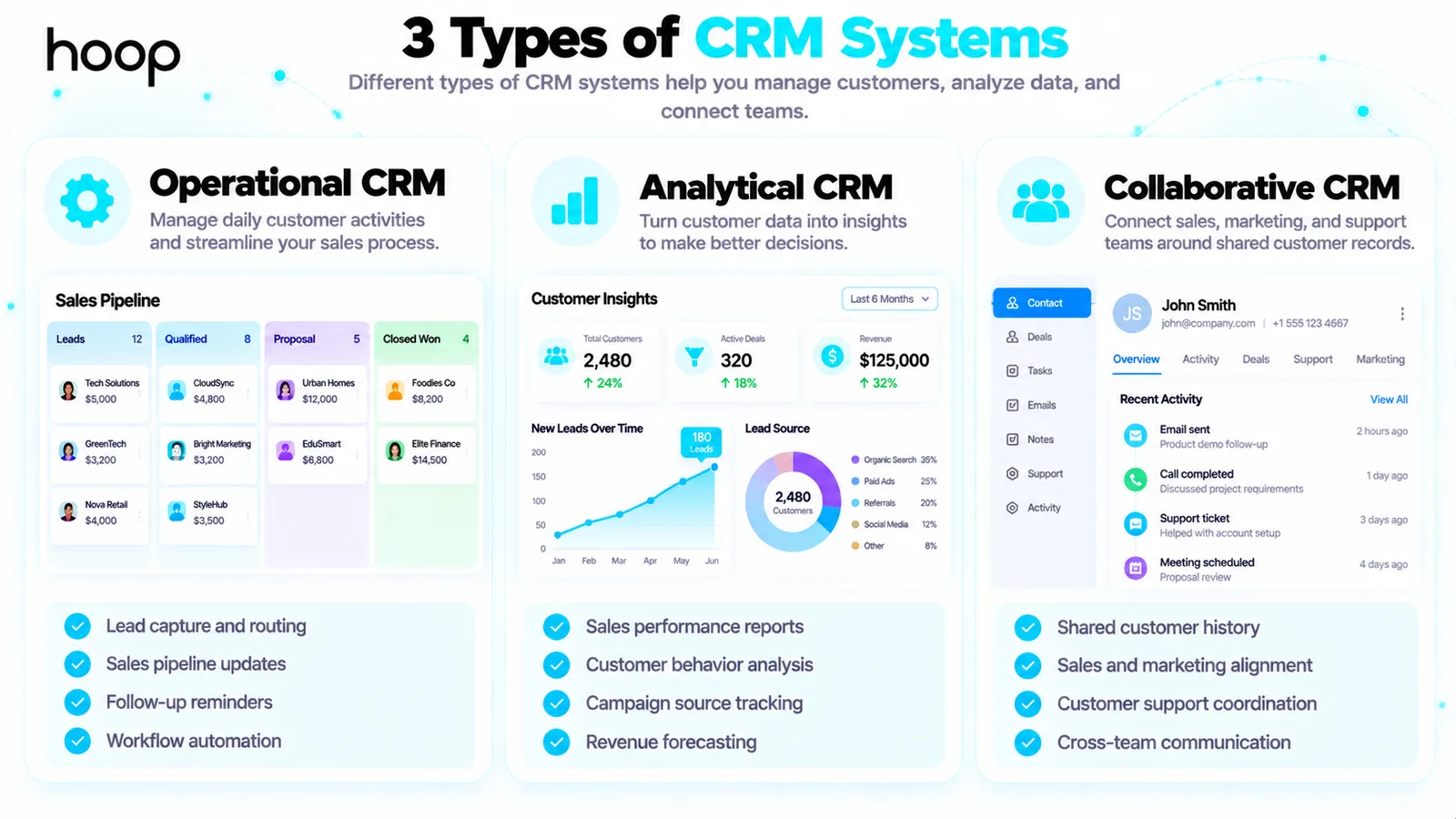
What Is a CRM System? Meaning, How It Works, and Examples
Oct 22, 2026 · 10 min read
What Is Sales Automation? How It Works, Examples, and Benefits
Oct 22, 2026 · 10 min read