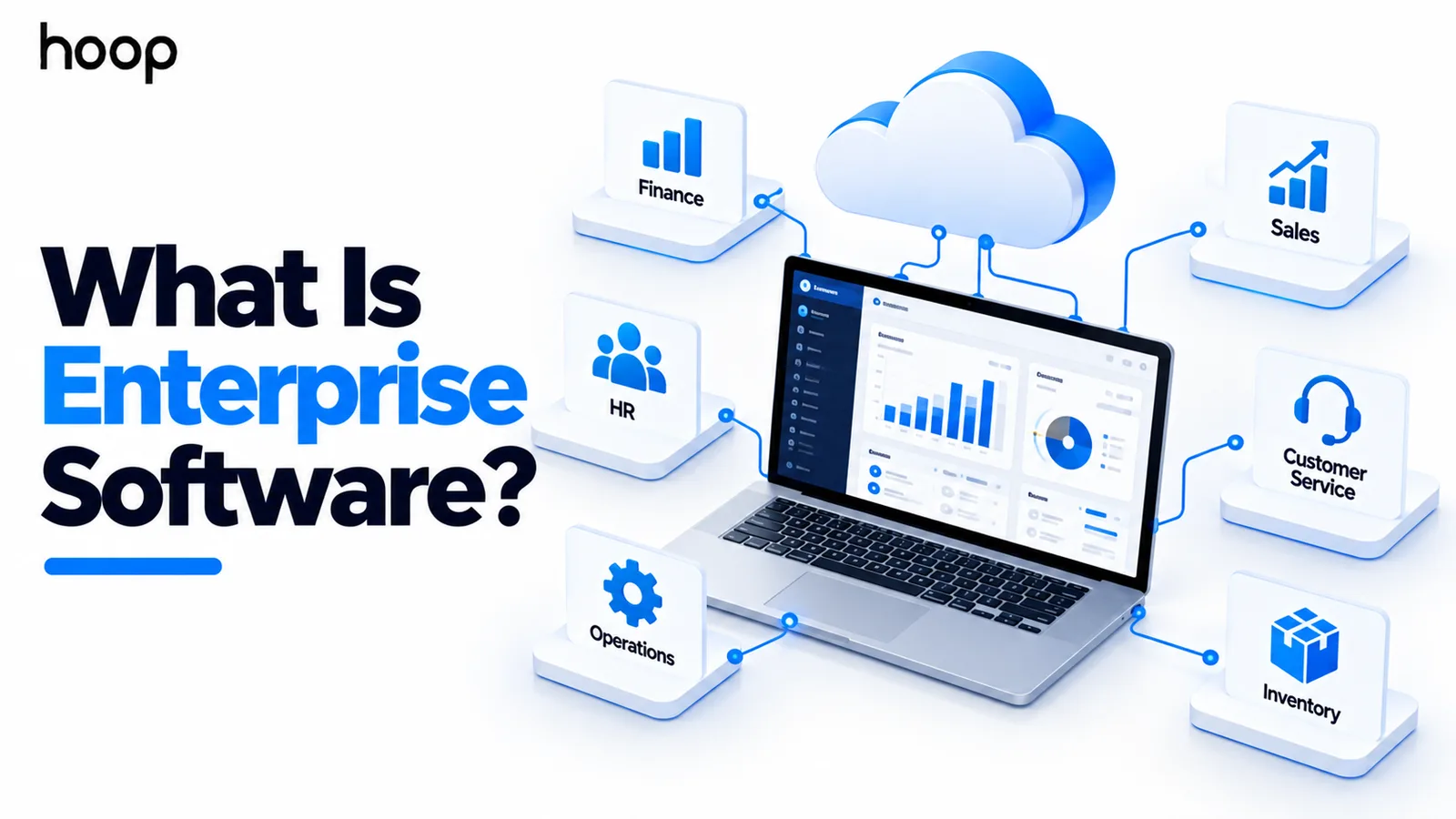
What Is Enterprise Software? How Enterprise Applications Work
Enterprise software is defined by the complexity it must handle — many departments, roles, integrations, and years of operation — not by company size or programming language.
Sahar
Content Writer
Enterprise software is software built to support an organization across multiple users, departments, workflows, systems, and business rules. What makes it enterprise software is the operational complexity it must handle reliably over time.
A simple app may help one person complete one task. Enterprise software often coordinates work across finance, operations, sales, HR, compliance, and other teams.
It is software built for coordinated organizational work, not isolated individual use.
Need this done right?
Hoop builds the strategy, design and development behind sites like this one — talk to us about yours.
What Is Enterprise Software?
Enterprise software is a category of business software designed for organization-wide or mission-critical use. It supports shared processes, data, permissions, integrations, and controls across many users or teams.
The term does not describe one product type. Enterprise applications include ERP, CRM, HR systems, workflow platforms, business intelligence tools, and custom internal systems.
What Is Enterprise Software Used For?
Enterprise software is used to run processes that affect many people, systems, or business functions. It often becomes part of the organization’s daily operating model.
A company may use it to manage customers, payments, purchasing, inventory, employees, approvals, reporting, service delivery, or internal requests.
The software can also coordinate steps that cross department boundaries. That coordination reduces duplicate data entry and keeps decisions tied to shared records.
In practice, it supports process consistency, shared data, governance, and operational visibility across the organization.
What Does “Enterprise” Mean in Software?
The word enterprise describes the operating environment more than the programming language. There is no universal framework, certification, or codebase that makes software enterprise-grade.
A Java application is not automatically enterprise software. A Python, Node.js, or C# application can support enterprise requirements just as effectively.
The label usually reflects the organization, processes, data, risk, integrations, and service expectations surrounding the application.
What Makes Software Enterprise-Grade?
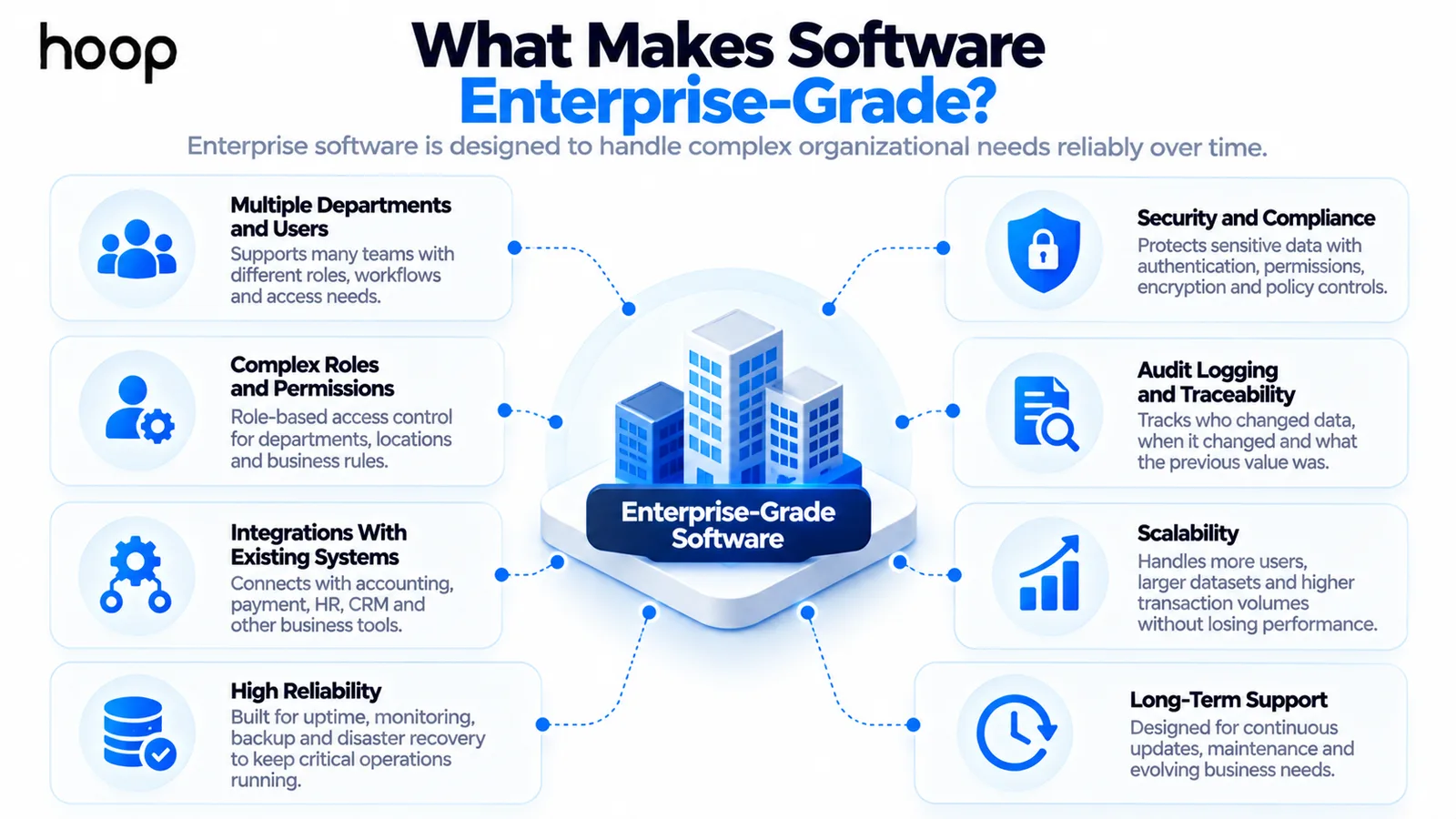
Enterprise-grade software must keep working when business complexity increases. That requirement changes architecture, security, testing, deployment, support, and long-term maintenance decisions.
Multiple Departments and Users
Enterprise applications often support many teams with different responsibilities. Finance may see billing data while operations manages inventory and managers approve high-value actions.
The system must keep those workflows connected without giving every user the same access or interface.
Complex Roles and Permissions
Enterprise software usually needs more than a basic user and administrator model. Permissions may depend on department, seniority, geography, record type, or workflow stage.
Role-based access control helps organizations define who can view, edit, approve, export, or delete specific information.
Integrations With Existing Systems
Enterprise applications rarely operate alone. They often exchange data with accounting software, identity providers, customer systems, databases, analytics tools, payment platforms, and legacy applications.
Professional enterprise software development therefore involves integration planning as much as feature development.
High Reliability
A short outage can stop payroll, order processing, customer support, inventory movement, or reporting. Mission-critical software therefore needs deliberate monitoring, recovery, testing, and incident response.
Reliability also includes graceful failure. One broken dependency should not always bring an entire business process to a stop.
Security and Compliance
Enterprise systems often hold financial, employee, customer, operational, or regulated data. Security must cover authentication, authorization, encryption, logging, secrets, patching, and data handling.
Some organizations also need controls for industry standards, contractual obligations, internal policies, or regional data requirements.
Audit Logging and Traceability
Organizations often need to know who changed a record, when it changed, and what value existed before the change. Audit trails help answer those questions.
This traceability supports investigations, financial controls, compliance reviews, security analysis, and accountability across complex workflows.
Scalability
Enterprise scale can mean many users, large datasets, heavy transactions, many locations, or years of historical records. The system must grow without becoming unstable.
Scalability also affects architecture choices for databases, caching, queues, integrations, background jobs, and cloud infrastructure.
Long-Term Support
Enterprise software is often expected to remain useful for years. Teams therefore need maintainable code, documentation, controlled releases, migration plans, monitoring, and predictable support.
A successful launch is only the beginning. The larger challenge is keeping the system secure, compatible, and useful as the organization changes.
How Is Enterprise Software Different From Regular Software?
Regular software can serve consumers, small teams, or narrow tasks. Enterprise software operates inside a more complicated business environment with greater technical and operational consequences.
The difference appears in permissions, integrations, uptime expectations, support, data governance, reporting, change control, and long-term ownership.
A small booking app may only need customers and administrators. An enterprise booking platform may support branches, regions, finance rules, contracts, approvals, and centralized reporting.
Enterprise Software vs Business Software
Business software is a broad category that includes tools used by companies of any size. Enterprise software is a narrower category built for greater organizational complexity.
A simple invoicing tool is business software. A finance platform with approvals, permissions, integrations, audit trails, and multi-entity reporting may be enterprise software.
The boundary is not always sharp. The same product can serve small businesses in one configuration and enterprise customers in another.
The useful question is not whether a vendor uses the word enterprise. The useful question is whether the system supports the organization’s real requirements.
Enterprise Software vs Consumer Software
Consumer software usually optimizes for individual users and fast onboarding. Enterprise software often needs to satisfy users, managers, IT teams, security teams, procurement, and compliance stakeholders.
Consumer applications can still be technically complex. The distinction is that enterprise applications must fit organizational processes and governance requirements.
What Are Examples of Enterprise Software?
Enterprise software appears across nearly every major business function. ERP systems connect finance and operations, while CRM platforms manage customer relationships and sales processes.
Other examples include human resources systems, supply-chain platforms, document management, business intelligence, procurement software, workflow automation, and internal operations platforms.
A company can also build a specialized enterprise application around workflows that commercial products do not support well.
Is ERP the Same as Enterprise Software?
No. Enterprise resource planning, or ERP, is one major category of enterprise software. ERP systems connect functions such as finance, inventory, procurement, HR, manufacturing, and operations.
Businesses with interconnected operational processes may consider ERP software development when standard products cannot match their workflows.
All ERP systems are enterprise applications, but many enterprise applications are not ERP systems. CRM, analytics, HR, and workflow tools are separate categories.
Is Enterprise Software the Same as SaaS?
No. Enterprise describes the organizational use and requirements of software. Software as a Service describes how an application is delivered and accessed.
An enterprise system can run as SaaS, on-premises, in a private cloud, or through a hybrid architecture. The delivery model does not define the enterprise label.
Is Enterprise Software Always Custom Built?
No. Organizations can buy packaged enterprise products or build custom systems. The right choice depends on process fit, integration needs, cost, control, and long-term flexibility.
Packaged software works well when business processes are common and the available configuration is sufficient. Custom systems make more sense when workflows create a real competitive or operational difference.
A custom software development approach can also replace repeated workarounds when packaged tools force teams into inefficient processes.
How Does Enterprise Software Manage Data?
Enterprise software often becomes a system of record for important business information. That makes data quality, ownership, validation, retention, and access central design concerns.
Different departments may define the same customer, product, employee, or transaction differently. Enterprise systems need clear rules for which source is authoritative.
Data governance also affects imports, exports, deletion, retention periods, and reporting. Weak governance can make a technically sound platform produce unreliable business decisions.
Good systems validate critical inputs and keep data structures consistent across workflows. They also make integration failures visible instead of silently losing information.
How Is Enterprise Software Architected?
Enterprise architecture focuses on separating responsibilities while keeping the system understandable. Teams may divide capabilities into modules, services, applications, or bounded domains.
The right architecture depends on workload, team structure, integration needs, reliability targets, and expected change. More services do not automatically create a better system.
A modular design can isolate failures and support independent development. It can also introduce network, monitoring, deployment, and data-consistency complexity.
Enterprise software architecture should therefore match the organization’s actual operating model. Architecture exists to support change, reliability, and ownership rather than fashion.
Why Does Enterprise Software Need Integrations?
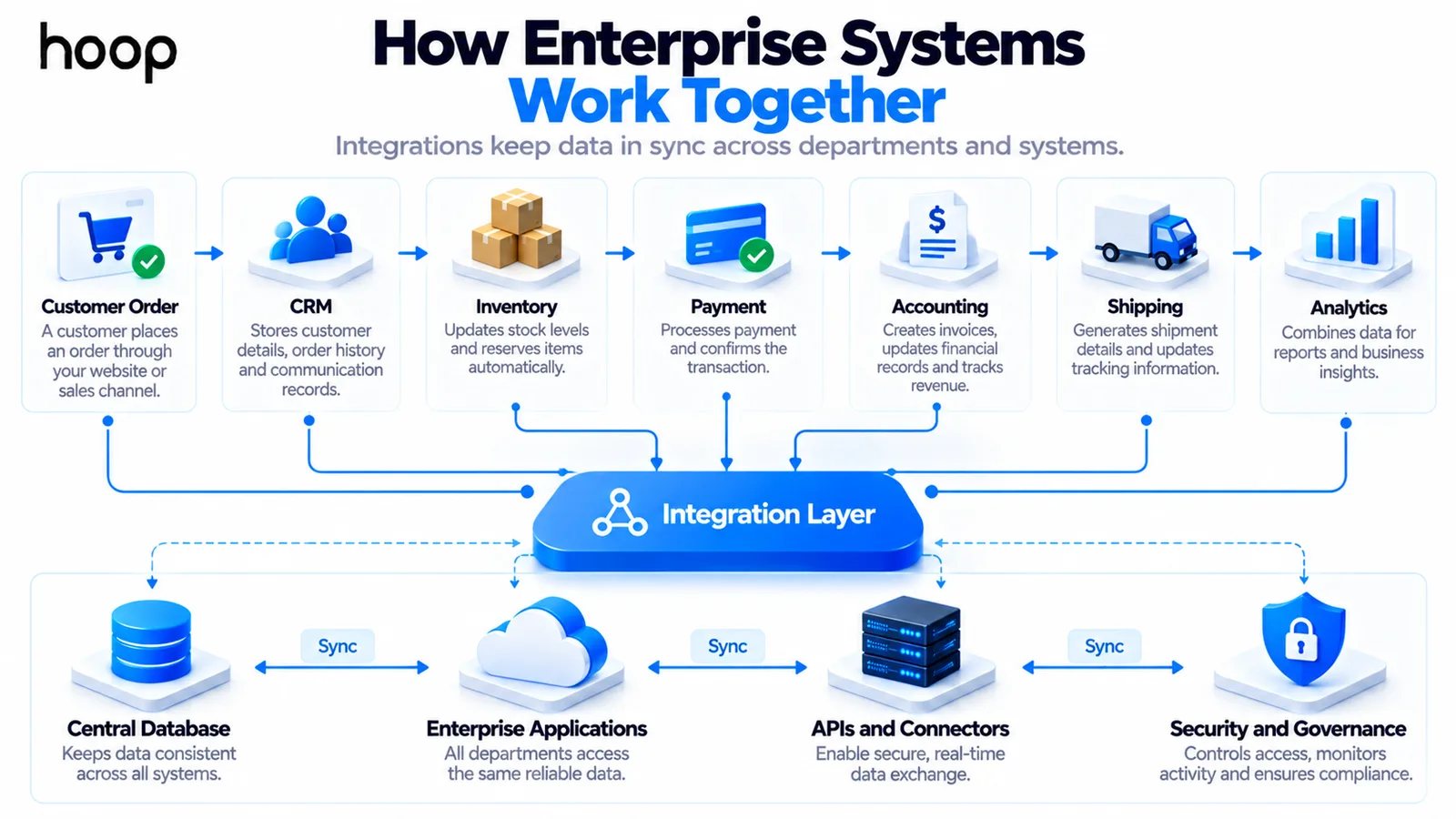
Large organizations already depend on many systems before a new application arrives. Enterprise software must connect those systems rather than create another isolated data silo.
For example, a customer order may touch CRM, inventory, payments, accounting, shipping, and analytics. Reliable integrations keep those steps synchronized.
Integration design must handle authentication, failures, retries, data mapping, rate limits, duplicate events, and changing third-party APIs.
Why Are Permissions More Complex in Enterprise Applications?
Enterprise users rarely need identical access. A finance manager, salesperson, auditor, warehouse worker, and contractor should not see the same controls or data.
Permissions may also depend on region, account ownership, approval thresholds, or record sensitivity. That makes access design part of the business logic itself.
Single sign-on can simplify authentication, while role-based rules control what authenticated users can actually do.
Why Do Enterprise Applications Need Audit Logs?
Audit logs create a record of important actions inside the system. They can show who changed data, approved actions, modified permissions, or exported sensitive records.
This history is useful during disputes, investigations, compliance reviews, security incidents, and financial audits. It also discourages untraceable administrative changes.
Can Enterprise Software Run in the Cloud?
Yes. Modern enterprise software can run in public cloud, private cloud, hybrid environments, or traditional on-premises infrastructure. The deployment model depends on business requirements.
Cloud deployment can simplify provisioning, scaling, backups, and geographic expansion. On-premises systems can still make sense for specialized controls or legacy dependencies.
Hybrid architectures are common when organizations must keep some systems local while connecting them with cloud services. Integration and identity planning become especially important there.
The question is not whether cloud is automatically better. Teams should evaluate security, latency, compliance, cost, resilience, and operational capability together.
How Does Enterprise Software Support Reporting and Decisions?
Enterprise software often collects data from many workflows, which makes reporting a major requirement. Leaders need consistent numbers without manually reconciling separate spreadsheets.
Dashboards can show current operations, but enterprise reporting also needs definitions that users trust. A metric becomes useful only when teams agree on how it is calculated.
Good reporting separates operational views from analytical needs. Transaction systems optimize for reliable processing, while analytics platforms may handle larger historical queries.
Clear data lineage helps teams understand where numbers came from. That becomes important when finance, compliance, or executives rely on the same reports.
Does Enterprise Software Have to Be Hard to Use?
No. Complex business rules do not require a confusing interface. Strong enterprise UX hides unnecessary complexity while keeping advanced workflows available when users need them.
Designers should study real tasks, user roles, exceptions, and approval paths. A clean dashboard means little if staff still need spreadsheets to finish their work.
Enterprise UX must also support dense information, search, filters, bulk actions, error recovery, accessibility, and consistent interaction patterns.
Why Change Management Matters in Enterprise Software
A technically correct system can still fail if teams do not adopt it. Enterprise software often changes responsibilities, approval paths, data entry habits, and reporting routines.
Implementation planning should identify process owners, affected teams, training needs, migration steps, and support channels before launch. People need to understand what changes and why.
Phased rollouts can reduce risk when workflows are critical. They also give teams time to fix real operational issues before every department depends on the new system.
Usage data and support requests should feed the roadmap after launch. Adoption problems are product problems when the workflow does not match real work.
How Does Enterprise Software Handle Ongoing Change?
Organizations change through acquisitions, new products, policies, regulations, locations, and reorganizations. Enterprise systems must absorb those changes without constant rewrites.
Configuration helps when business rules change frequently. Custom code is still appropriate when the workflow needs behavior that generic configuration cannot express cleanly.
Versioned APIs, migration scripts, feature flags, and controlled releases reduce disruption. Documentation also helps future teams understand why major decisions were made.
The strongest enterprise platforms balance stability with change. They protect critical operations while giving teams room to evolve processes over time.
Why Is Enterprise Software Expensive?
The visible interface is only part of the cost. Enterprise systems also require integration, data migration, security, permissions, testing, monitoring, deployment, documentation, and support.
Complexity rises further when the system replaces legacy software or connects multiple departments. Each dependency creates testing and change-management work.
That is why estimating enterprise software by screen count alone can be misleading. The difficult work often sits behind the screens.
Which Technologies Are Used for Enterprise Software?
There is no required enterprise programming language. Teams choose technology based on maintainability, ecosystem maturity, performance, security, hiring needs, and integration requirements.
Java and C# remain common because their ecosystems support long-lived backend systems. Modern teams also use Node.js, Python, Go, TypeScript, React, and other technologies.
Databases, message queues, cloud services, containers, APIs, identity platforms, and monitoring tools often matter as much as the application language.
How Is Enterprise Software Built?
Enterprise development usually starts with process discovery rather than feature lists. Teams map users, workflows, data ownership, integrations, risks, and success measures first.
Architecture then defines how services, databases, integrations, identity, and infrastructure should work together. UX design turns complex workflows into usable interfaces.
Development should include automated testing, integration testing, security testing, and realistic performance testing. Migration and rollout planning reduce disruption for existing users.
After launch, monitoring, support, updates, incident handling, and roadmap planning become part of the product lifecycle.
When Does a Business Need Enterprise Software?
A business usually needs enterprise software when operational complexity starts exceeding the limits of separate tools and manual coordination.
- Multiple departments depend on the same data but use disconnected systems.
- Important workflows require repeated manual approvals, spreadsheets, or duplicate data entry.
- Existing tools cannot support required permissions, integrations, audit trails, or reporting.
- Growth is creating reliability, performance, or data-consistency problems across critical operations.
- The organization needs a shared platform for processes that directly affect revenue, service, or compliance.
Common Enterprise Software Challenges
Enterprise systems can create significant value, but they also introduce risks that smaller applications may avoid. Strong planning should address these problems before development accelerates.
- Unclear ownership between departments can create conflicting requirements and slow approvals.
- Legacy systems may expose incomplete APIs or undocumented data structures.
- Large migrations can reveal duplicate, inconsistent, or low-quality historical data.
- Excessive customization can make upgrades and maintenance unnecessarily difficult.
- Weak adoption planning can leave teams using old spreadsheets beside the new system.
The strongest projects treat process change, data quality, training, and governance as part of the software work.
Built for Organizational Complexity, Not Company Size
Enterprise software is not simply software used by a large company. It is software designed around organizational complexity, operational risk, and long-term business use.
The strongest systems connect people, workflows, data, and existing technology. They remain secure, reliable, auditable, and maintainable as the organization grows.
“Estimating enterprise software by screen count alone can be misleading. The difficult work often sits behind the screens.”
Key takeaways
- 01Eight attributes mark enterprise-grade: multi-department use, complex permissions, integrations, reliability, security, audit trails, scale, and long-term support.
- 02No language makes software enterprise-grade. Java is not automatically it; Node or Python can be.
- 03ERP is one category of enterprise software, not a synonym for it.
- 04Adoption problems are product problems — a system staff route around with spreadsheets has failed.
Written by
Sahar
Content Writer
Frequently Asked
Questions
Everything you need to know before booking a strategy call. Can't find your answer? Contact us directly.
Enterprise software is business software built to support complex organizational operations. It usually serves multiple users, teams, workflows, systems, and control requirements.
Enterprise-grade software is expected to handle strong security, reliable operation, permissions, integrations, auditability, scale, and long-term support. No single programming language defines it.
Common examples include ERP, CRM, HR systems, supply-chain platforms, business intelligence tools, document management, workflow platforms, and custom internal systems.
No. Organizational complexity matters more than employee count. A smaller regulated or multi-location business can still need enterprise-level controls and integrations.
Buy when standard products fit the process well. Build when unique workflows, integration needs, control, or long-term economics justify custom development.
Keep reading
All articles →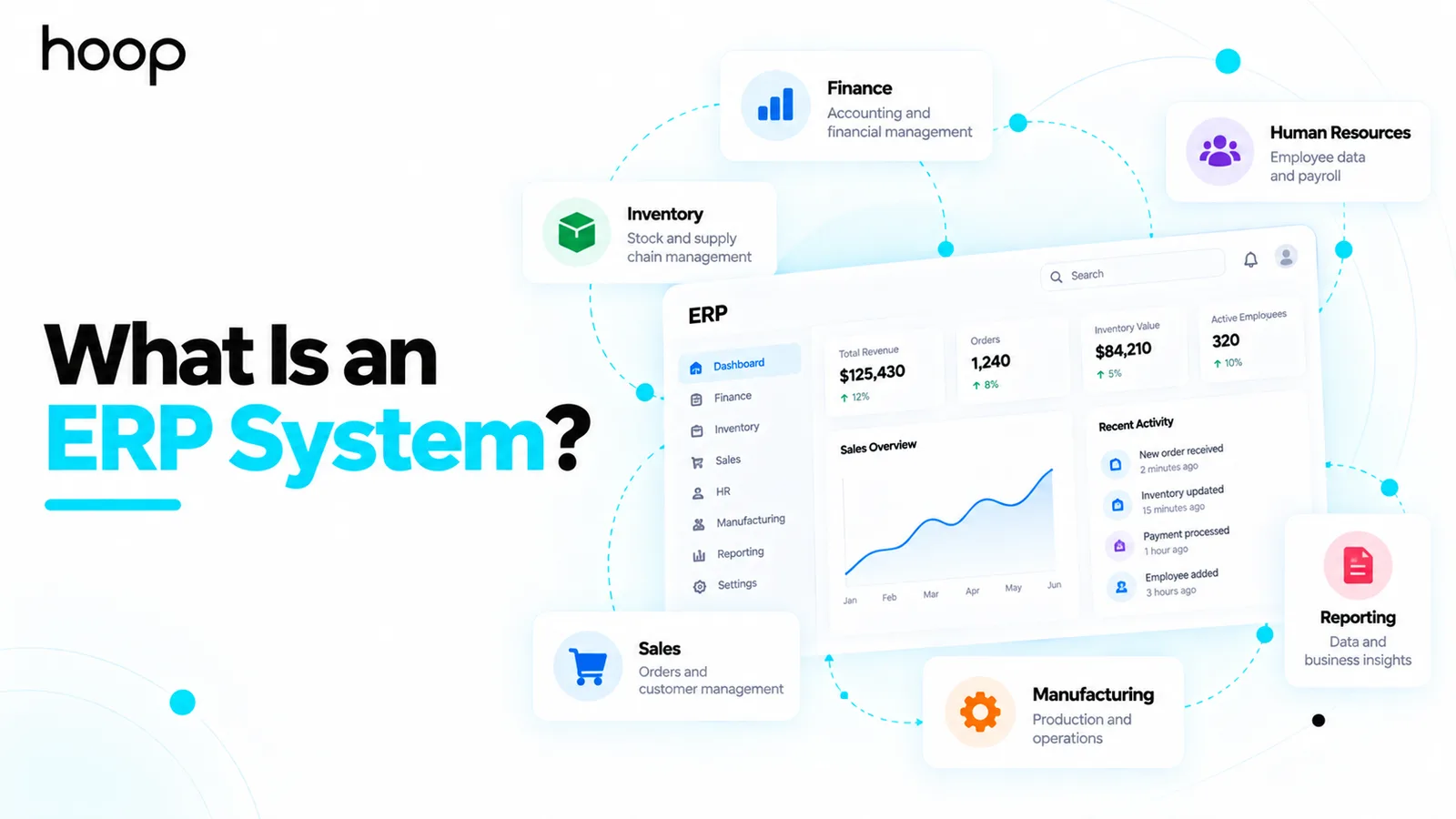
What Is an ERP System? How Enterprise Resource Planning Works
Oct 12, 2026 · 10 min read
Custom Software Development in 2025: A Complete Guide for Modern Businesses
Aug 4, 2026 · 8 min read