Google Ads for Small Business: 2026 Starter Guide
Google Ads lets small businesses reach people actively searching for their products or services, starting with modest budgets and scaling as results improve — if setup, keywords, and tracking are done right.
Sahar
Content Writer
Google Ads remains one of the fastest ways for small businesses to attract customers in 2026. A well-managed campaign can put your business in front of people who are actively searching for your products or services. Small businesses can start with modest budgets and scale campaigns as results improve.
Need this done right?
Hoop builds the strategy, design and development behind sites like this one — talk to us about yours.
What Is Google Ads and Why Should Small Businesses Use It?
Google Ads is Google's advertising platform that allows businesses to display ads on Google Search, YouTube, Gmail, and partner websites. Advertisers pay only when someone clicks their ads or interacts with them.
Small businesses often struggle to compete with larger brands through organic search alone. Google Ads gives smaller companies the opportunity to appear at the top of search results immediately.
How Google Ads Works
Google Ads operates through an auction system. Businesses choose keywords related to their products or services and place bids on those keywords.
For example, a local plumber might target keywords such as:
- emergency plumber near me
- water heater repair
- drain cleaning service
When someone searches for these terms, Google decides which advertisements appear based on the bid amount and advertisement quality.
The advertiser pays only when a user clicks the advertisement.
Benefits for Small Businesses
Google Ads offers several advantages that make it attractive for small businesses.
First, you can start with almost any budget. A local business can begin with $20 per day and increase spending after seeing positive results.
Second, Google Ads targets users with strong purchase intent. People searching for a service often need an immediate solution.
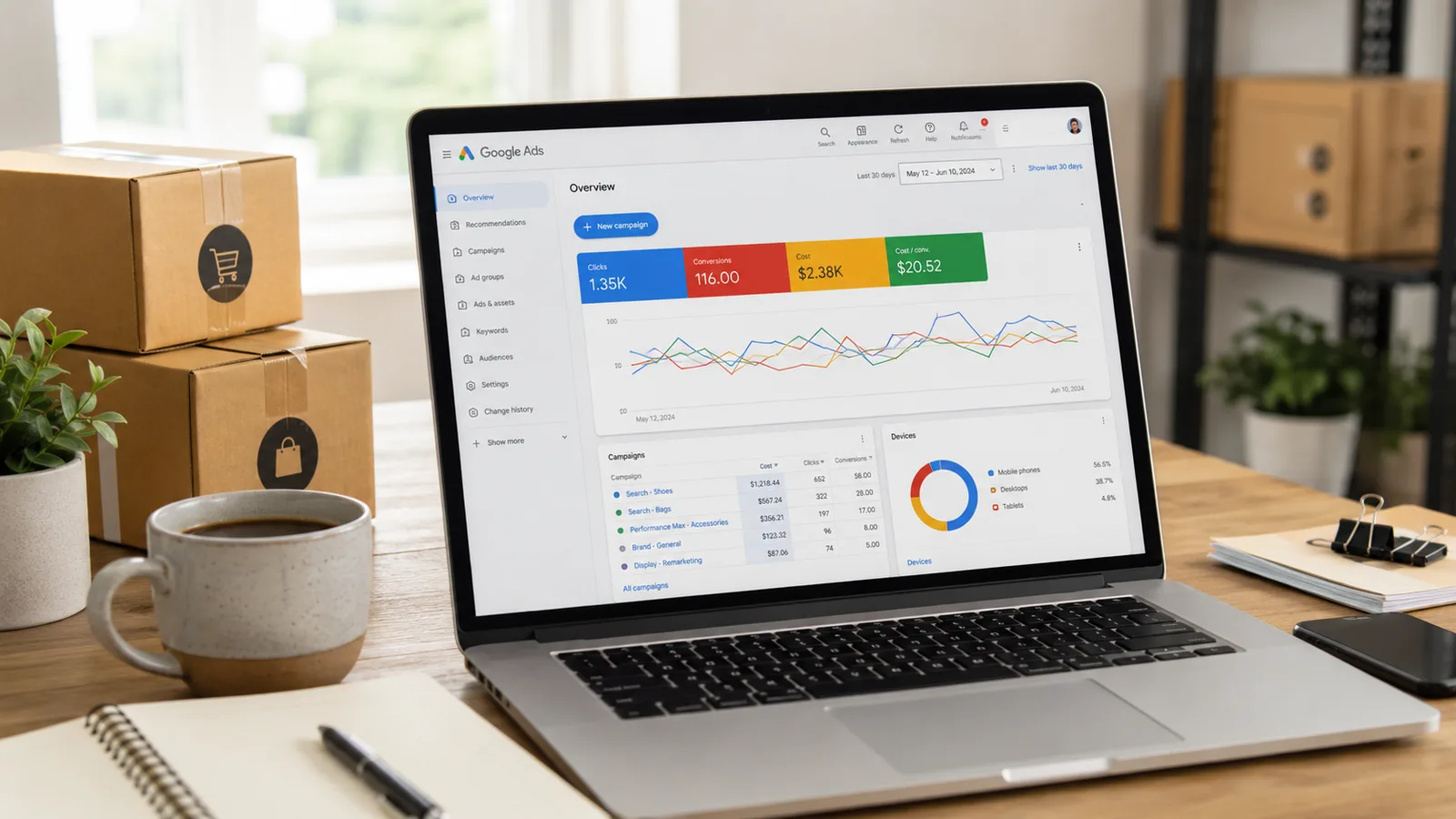
Third, campaigns produce measurable results. You can track clicks, phone calls, leads, and sales from a single dashboard.
Businesses that combine Google Ads with broader digital marketing services often build stronger online visibility and generate more consistent leads.
How Much Should a Small Business Spend on Google Ads?
There is no universal advertising budget. The right budget depends on your industry, customer value, and growth goals.
Most small businesses spend between $500 and $2,000 per month on Google Ads. Companies in competitive industries often invest significantly more.
Typical Monthly Budgets
| Business Type | Average Monthly Budget |
|---|---|
| Local service businesses | $500–$1,500 |
| Small ecommerce stores | $1,000–$5,000 |
| Professional services | $1,500–$5,000 |
| Software companies | $2,000–$10,000 |
These figures serve as starting points rather than fixed recommendations.
A business that earns $5,000 from one customer can justify a much larger advertising budget than a business that earns $50 per sale.
Budget by Industry
Competition directly affects costs.
Industries such as legal services, insurance, and financial consulting often have expensive keywords because customer values remain high.
Less competitive industries, including home cleaning and pet services, generally experience lower click costs.
A business should always calculate advertising budgets based on profitability rather than competitor spending.
How to Set Up Google Ads for Small Business
Creating your first campaign is easier than many business owners expect. A structured setup process helps you avoid unnecessary spending.
Create Your Google Ads Account
Start by creating a Google Ads account using your business email address.
During setup, Google asks you to select a business goal such as:
- Website traffic
- Phone calls
- Online sales
- Store visits
Choose the goal that matches your primary objective.
Choose Campaign Goals
Every campaign should have one clear purpose.
Examples include:
- Generate phone calls
- Collect leads
- Increase ecommerce sales
- Drive appointment bookings
A focused campaign usually performs better than a campaign with multiple goals.
Set Your Budget
Google allows you to set a daily budget.
For example:
- $20 per day equals approximately $600 per month.
- $50 per day equals approximately $1,500 per month.
New advertisers should begin with conservative budgets and increase spending only after campaigns demonstrate profitability.
How to Choose Keywords for Small Business Campaigns
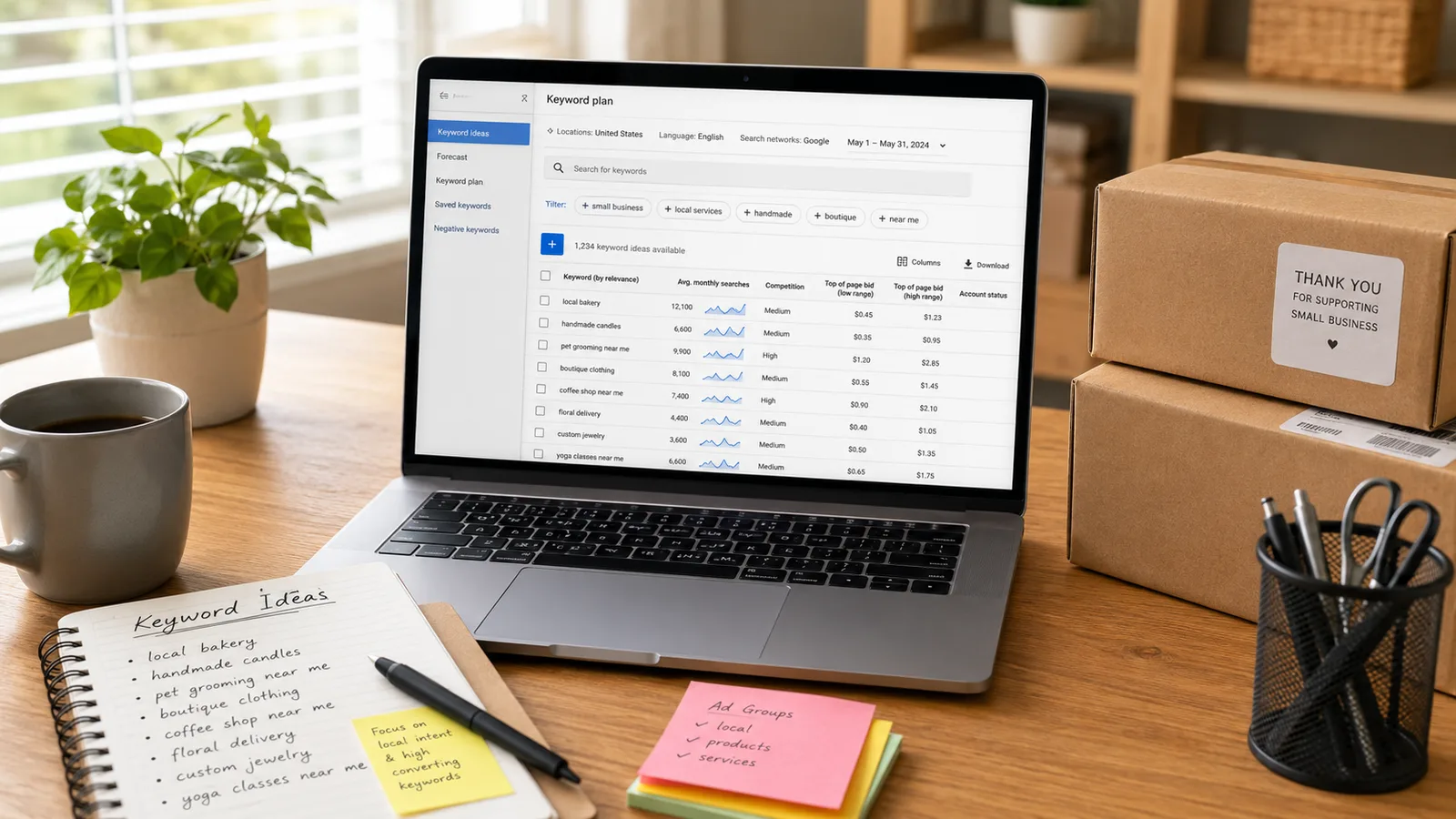
Keyword selection often determines whether a campaign succeeds or fails.
The best keywords connect your business with users who are ready to take action.
Choose High-Intent Keywords
High-intent keywords indicate strong purchase intent.
Examples include:
- hire an accountant
- emergency dentist
- buy running shoes online
- roofing company near me
These searches often produce more leads and sales than informational keywords.
Avoid Broad Keywords
Broad keywords can waste your budget.
For example, a company selling accounting software should avoid targeting the single keyword "accounting." That search can attract students, job seekers, and users looking for definitions.
Specific keywords generally produce better results and lower costs.
Add Negative Keywords
Negative keywords prevent your advertisements from appearing for irrelevant searches.
Many businesses exclude words such as:
- free
- jobs
- careers
- training
Negative keywords improve targeting and reduce wasted spending.
Which Google Ads Campaign Type Should You Use?
Google offers several campaign types, and each one serves a different purpose.
Search Campaigns
Search campaigns display advertisements in Google Search results.
These campaigns work particularly well for local service businesses, professional service firms, ecommerce stores, and B2B companies.
Most small businesses should begin with Search campaigns because users already have strong buying intent.
Performance Max Campaigns
Performance Max campaigns use artificial intelligence to show advertisements across multiple Google properties.
These campaigns can display ads on:
- Google Search
- YouTube
- Gmail
- Google Maps
- Display Network websites
Businesses that want more automation often combine campaign management with AI development services to build intelligent automation, improve campaign optimization, and identify new growth opportunities.
Display Campaigns
Display campaigns show visual advertisements on websites within Google's network.
These campaigns work best for brand awareness, remarketing campaigns, and product launches.
Display campaigns usually cost less than Search campaigns, but conversion rates are often lower because users are not actively searching for products or services.
How to Write Google Ads That Generate Clicks
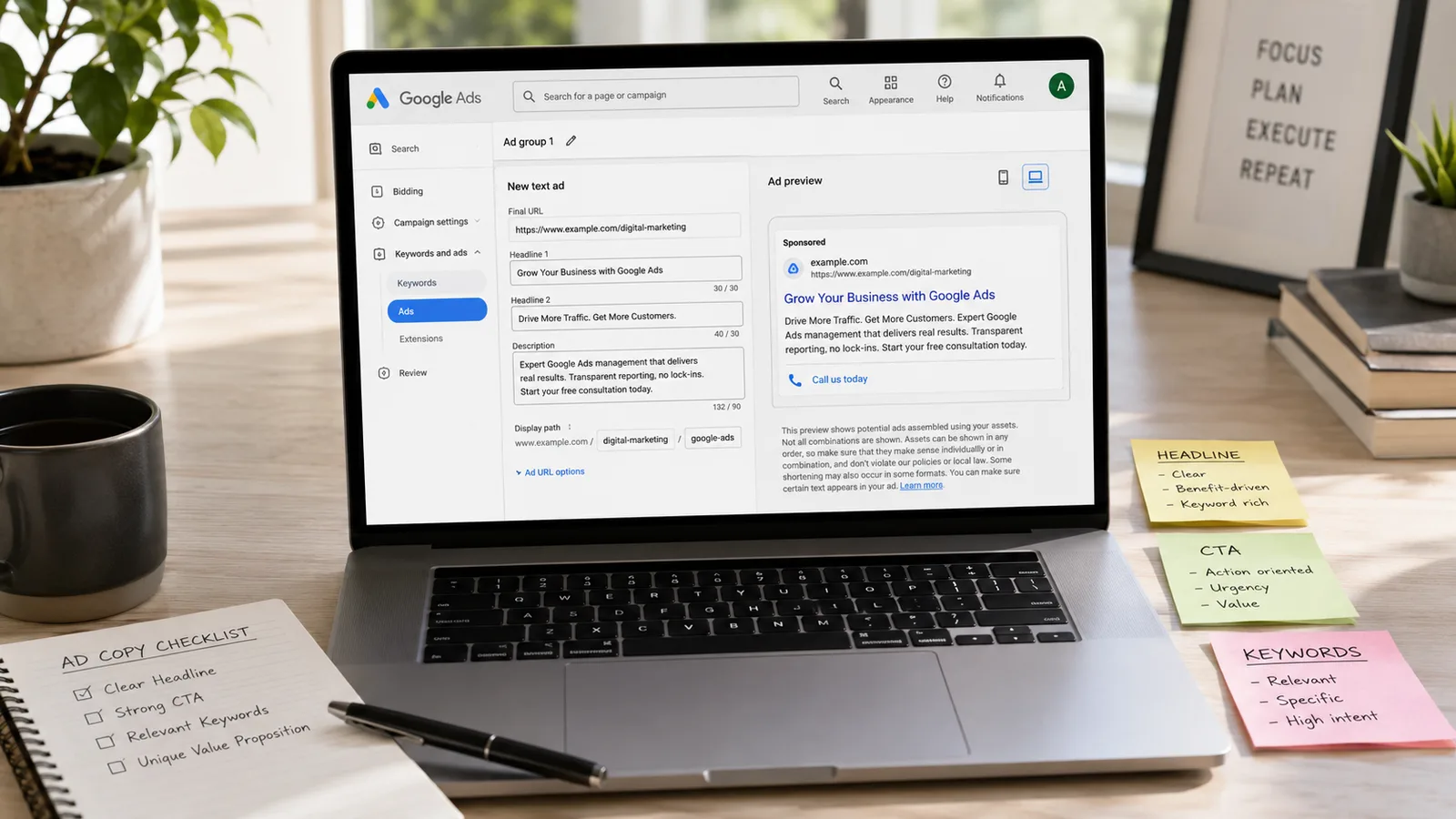
Good advertisements attract qualified visitors and improve conversion rates. Small businesses should focus on clear messaging instead of complicated sales language.
How to Write Effective Headlines
To write effective headlines, include the keyword and explain your offer immediately.
Strong headline examples include:
- Emergency Plumbing Services
- Book a Free Consultation
- Same-Day Appliance Repair
- Affordable Accounting Services
Headlines should focus on benefits and encourage users to take action.
How to Create Strong Calls to Action
To create strong calls to action, tell users exactly what they should do next.
Examples include:
- Get a Free Quote
- Book an Appointment
- Call Today
- Shop Now
Simple and direct language often generates better click-through rates.
How to Match Ads With Landing Pages
To match ads with landing pages, send users to the most relevant page on your website.
For example, an advertisement promoting kitchen remodeling should direct users to a kitchen remodeling page instead of the homepage.
Relevant landing pages improve conversion rates and lower advertising costs.
How to Track and Improve Campaign Performance
Google Ads provides detailed reporting tools that help small businesses measure results.
Businesses should review campaign data every week and make improvements based on performance.
How to Set Up Conversion Tracking
To set up conversion tracking, define the actions that matter to your business.
Examples include:
- Phone calls
- Form submissions
- Product purchases
- Appointment bookings
Tracking conversions allows you to understand which advertisements generate revenue.
Businesses can also use Google Analytics to gain deeper insights into user behavior and conversion performance. For setup instructions, refer to the Google Analytics Help Center.
How to Improve Quality Score
To improve Quality Score, create relevant advertisements and build landing pages that match user intent.
A higher Quality Score often reduces cost per click and improves advertisement positions.
Businesses should regularly test headlines, descriptions, and keyword groups to improve performance.
How to Improve Landing Pages
To improve landing pages, focus on speed, design, and clarity.
A good landing page should include:
- A clear headline
- A strong call to action
- Customer testimonials
- Contact information
Small changes often increase conversion rates significantly.
Common Google Ads Mistakes Small Businesses Make
Many businesses waste money because they make avoidable mistakes during campaign setup.
How to Avoid Targeting Broad Keywords
To avoid targeting broad keywords, focus on search terms with clear buying intent.
A bakery should target "custom birthday cakes near me" instead of the broad keyword "cakes."
Specific keywords usually produce more qualified traffic.
How to Avoid Ignoring Conversion Data
To avoid ignoring conversion data, review reports every week.
Many advertisers focus only on clicks and impressions. Revenue and leads matter more than traffic numbers.
Campaign decisions should depend on conversion data.
How to Avoid Changing Campaigns Too Frequently
To avoid changing campaigns too frequently, allow advertisements to collect enough data.
Most campaigns require several weeks before advertisers can identify meaningful trends.
Frequent changes often disrupt performance and make optimization difficult.
How to Scale Google Ads Successfully
Businesses should increase spending only after campaigns consistently generate profitable conversions.
How to Increase Budget Gradually
To increase budget gradually, raise daily spending by 10% to 20% at a time.
Large increases can cause campaign instability and make performance unpredictable.
Small adjustments allow Google's algorithms to adapt more effectively.
How to Expand Winning Campaigns
To expand winning campaigns, identify the advertisements and keywords that generate the best results.
You can scale successful campaigns by:
- Adding new keywords
- Expanding into nearby locations
- Increasing budgets gradually
Businesses that want long-term growth often combine paid advertising with professional PPC marketing services that support campaign management and optimization.
How to Use Automation and AI
To use automation and AI, implement smart bidding strategies and automated reporting.
Artificial intelligence can identify trends and optimize bids faster than manual management.
Companies that adopt AI marketing services often reduce wasted spending and improve efficiency.
Quick Reference Table
| Task | Timing | Method | Difficulty |
|---|---|---|---|
| Create Google Ads account | 20 minutes | Google Ads dashboard | Easy |
| Research keywords | 1 hour | Keyword Planner | Medium |
| Write advertisements | 1 hour | Search campaigns | Medium |
| Install conversion tracking | 2 hours | Google Analytics | Medium |
| Optimize campaigns | Weekly | Performance reports | Hard |
How to Prepare Your First 30 Days of Google Ads Management
The first month of Google Ads should focus on collecting data and improving campaign performance. Many small businesses expect immediate sales, but the first 30 days usually involve testing and optimization.
Week 1: Launch and Verify Tracking
During the first week, confirm that your advertisements, keywords, and conversion tracking work correctly. Test every form, phone number, and landing page. A campaign without conversion tracking cannot measure success accurately.
Week 2: Review Search Terms
During the second week, review the actual search terms that trigger your advertisements. Add negative keywords to remove irrelevant traffic and protect your budget. Many advertisers discover that broad searches generate clicks without producing leads.
Week 3: Optimize Advertisements
During the third week, compare advertisement performance. Pause advertisements with low click-through rates and create new variations with stronger headlines and calls to action. Even small changes in ad copy can improve performance significantly.
Week 4: Adjust Budgets and Bids
During the fourth week, identify the keywords and advertisements that generate the most conversions. Increase budgets gradually for profitable campaigns and reduce spending on poor-performing keywords.
By the end of the first month, you should know:
- Which keywords generate leads.
- Which advertisements receive the most clicks.
- Which landing pages convert visitors into customers.
- Which campaigns deserve additional investment.
Small businesses that follow a structured 30-day optimization process often achieve better results than businesses that launch campaigns and leave them unchanged. Consistent monitoring and data-driven decisions help turn Google Ads into a predictable source of leads and sales.
Conclusion
Google Ads remains one of the most effective ways for small businesses to generate leads, increase sales, and reach customers in 2026. The platform allows businesses to start with modest budgets, measure results accurately, and scale campaigns as performance improves.
Success depends on choosing the right keywords, tracking conversions, and optimizing campaigns consistently. Businesses that focus on data and user intent often achieve stronger returns than businesses that simply increase spending.
If you want to generate more qualified leads and maximize your advertising investment, explore Hoop Interactive'sPPC marketing services and build a data-driven strategy designed for long-term growth.
Meta Title
Google Ads for Small Business: 2026 Starter Guide & Tips
Excerpt
Learn how to start and manage Google Ads for your small business in 2026. Discover budgeting tips, keyword strategies, campaign setup steps, and proven methods to generate more leads and sales.
“Google Ads remains one of the fastest ways for small businesses to attract customers in 2026.”
Key takeaways
- 01You can start small and scale as campaigns prove out
- 02Success starts with the right keywords and campaign type
- 03Write ads that match search intent and drive clicks
- 04Track conversions and improve — never set and forget
Written by
Sahar
Content Writer
Frequently Asked
Questions
Everything you need to know before booking a strategy call. Can't find your answer? Contact us directly.
Yes. Google Ads works well for small businesses because it targets users who actively search for products and services.
Yes. Many local businesses begin with a monthly budget of $500 and increase spending after generating results.
Most campaigns generate useful data within 2 to 4 weeks.
Yes, if internal expertise is limited. Professional management often reduces wasted advertising spend.
Search campaigns are usually the best starting point because they target users with strong buying intent.