E-Commerce SEO Guide: How to Rank Your Online Store (2026)
E-commerce SEO ranks your store by fixing crawlability, structuring category and product pages around buyer intent, adding product schema, and measuring revenue from organic search — a 20-step execution order.
Sahar
Content Writer
E-Commerce SEO Guide: How to Rank Your Online Store (2026) gives you a 20-step plan to improve product visibility, organic traffic, and sales. You rank an online store by fixing crawl access, building clear category pages, improving product pages, adding structured data, and measuring revenue from search.
E-commerce search rewards stores that help buyers choose quickly. Google, AI search tools, and shopping surfaces all need clean product data, fast pages, and useful content.
Need this done right?
Hoop builds the strategy, design and development behind sites like this one — talk to us about yours.
What Does the E-Commerce SEO Guide: How to Rank Your Online Store (2026) Cover?
The guide covers 20 store-ranking actions, from keyword research to revenue reporting. Each action targets a ranking asset, such as a category page, product page, technical file, review block, or content hub.
You need 3 core assets before advanced ecommerce SEO works. You need crawlable pages, search-led catalog structure, and trustworthy product information.
The 20 steps below help stores on platforms such as Shopify, WooCommerce, Magento, and BigCommerce. Custom stores also need the same SEO controls.
| Task | Timing | Method | Difficulty |
|---|---|---|---|
| Audit crawl access | Day 1 | Google Search Console and Screaming Frog | Medium |
| Map category keywords | Days 2-3 | Search intent and competitor SERPs | Medium |
| Optimize product pages | Days 4-7 | Titles, copy, schema, reviews | Medium |
| Fix duplicate URLs | Week 2 | Canonicals, noindex rules, robots.txt | Hard |
| Build content hubs | Weeks 3-6 | Guides, comparisons, FAQs | Medium |
| Track revenue results | Weekly | GA4, Merchant Center, dashboards | Medium |
Why Does E-Commerce SEO Still Drive Store Revenue in 2026?
E-commerce SEO still drives revenue because shoppers search before buying. Buyers compare prices, features, shipping details, reviews, and return rules before checkout.
Paid ads stop when spend stops. Organic rankings keep sending shoppers after your team improves pages, product data, and authority.
Search engines show buying surfaces, such as product grids, review snippets, shopping tabs, and AI answers. Strong product data helps your store compete inside each surface.
A store with 2,000 products needs more than blog posts. The store needs indexed categories, crawl control, product schema, review signals, and fast mobile pages.
SEO also protects margin during high ad costs. A profitable store needs traffic from 3 channels: organic search, paid campaigns, and repeat email buyers. Organic search keeps discovery active while paid campaigns test offers and email campaigns increase repeat orders.
How to Build an E-Commerce SEO Foundation in 2026
To build an e-commerce SEO foundation in 2026, start with crawl access, indexing, analytics, and product data. Search engines must reach your money pages before buyers can find those pages.
Step 1: Connect Google Search Console, Google Analytics 4, and Google Merchant Center. Use 3 tools because each tool reports different store data.
Step 2: Submit XML sitemaps for categories, products, blog posts, and images. Remove discontinued products from sitemaps after redirects work.
Step 3: Check robots.txt, canonical tags, and noindex rules. Block crawl traps, not important pages. Crawl traps include search pages, filtered URLs, cart pages, and account pages.
How to Audit Product Indexing
To audit product indexing, compare your active product count with indexed product URLs in Google Search Console. A gap shows crawl, quality, or duplicate URL problems.
Check 4 page groups: categories, subcategories, product pages, and buying guides. Export each group into a spreadsheet and mark index status.
How to Control Crawl Waste
To control crawl waste, limit search engine access to low-value URL variations. Faceted navigation creates duplicates through color, size, price, and sort filters.
Index filters only when shoppers search for those pages. Examples include black leather handbags, size 10 running shoes, and vegan protein powder.
How to Track Revenue Keywords
To track revenue keywords, group queries by category, product, brand, and comparison intent. Track clicks, revenue, add-to-cart rate, and checkout rate.
Use buyer metrics, not traffic alone. A keyword with 300 visits and 25 sales beats a keyword with 3,000 visits and 2 sales.
How to Research Buyer Keywords for Product and Category Pages
To research buyer keywords for product and category pages, collect search terms that show purchase intent. Buyer keywords include product type, brand, material, size, price, use case, and location.
Step 4: Build a keyword map before writing page copy. Match 1 primary keyword and 3 secondary keywords to each category page.
Step 5: Separate 3 intent types: category intent, product intent, and informational intent. Use category pages for broad buying terms. Use product pages for exact product terms. Use guides for questions.
How to Map Category Intent
To map category intent, assign broader keywords to collection pages. Examples include women's linen dresses, gaming laptops under $1,000, and organic skincare sets.
Category pages need helpful filters, short buying copy, internal links, and visible products. Thin category pages lose against stores with clearer buying paths.
How to Map Product Intent
To map product intent, assign exact terms to product pages. Examples include Nike Pegasus 41, Samsung Galaxy S25 case, and matte black kitchen faucet.
Use model names, product attributes, and variant names inside titles and descriptions. Search engines need exact product signals.
How to Optimize Category Pages That Rank and Sell
To optimize category pages that rank and sell, make each category page useful before the product grid. Add buying guidance, filters, product cards, and internal links.
Step 6: Write unique category introductions of 80-150 words. Explain product types, materials, use cases, and buying factors.
Step 7: Add comparison blocks for popular choices. Examples include cotton vs linen, Shopify vs WooCommerce, and wired vs wireless headphones.
Step 8: Add internal links from categories to subcategories, guides, and high-margin products. A clean internal path helps search engines and shoppers.
How to Structure Category URLs
To structure category URLs, keep URLs short, readable, and stable. Use /category/subcategory/ paths for categories and /category/product-name/ paths for products.
Avoid changing live URLs without redirects. Every URL change needs a 301 redirect from the old page to the best matching page.
How to Add Helpful Category Copy
To add helpful category copy, answer buyer questions near the product grid. Cover sizes, materials, delivery, warranties, and product comparisons.
Place the most helpful copy near the top. Long blocks below every product grid rarely help shoppers choose.
How to Optimize Product Pages for Organic Shoppers
To optimize product pages for organic shoppers, give complete product information before the buyer has doubts. Every product page needs copy, images, schema, reviews, and shipping details.
Step 9: Write unique product descriptions. Manufacturer descriptions create duplicate content across retailers.
Step 10: Add Product structured data with name, image, price, currency, availability, brand, reviews, and offers. Google uses structured data to understand product information.
Step 11: Compress images and add descriptive alt text. Name products clearly, such as black-leather-tote-bag.jpg or organic-green-tea-pack.jpg.
How to Write Product Titles
To write product titles, include the product type, brand, model, attribute, and main benefit. A clear title helps buyers and search engines.
Use examples such as Adidas Ultraboost 5 Running Shoes, Rose Gold Stainless Steel Watch, and 12-Cup Programmable Coffee Maker.
How to Build Trust With Reviews
To build trust with reviews, collect customer ratings, written feedback, photos, and questions. Reviews add fresh content and reduce buyer hesitation.
Step 12: Place reviews near product details and checkout prompts. Strong pages show ratings, review count, return policy, and delivery estimate.
How to Fix Technical E-Commerce SEO Problems
To fix technical e-commerce SEO problems, audit crawlability, duplicate content, speed, mobile usability, schema, and redirects. Technical gaps stop good products from ranking.
Step 13: Audit Core Web Vitals for product and category templates. Test Largest Contentful Paint, Interaction to Next Paint, and Cumulative Layout Shift.
Step 14: Fix broken links, redirect chains, and 404 pages. Map deleted products to the closest live category or replacement product.
Step 15: Add BreadcrumbList schema, Product schema, Organization schema, and Review schema where allowed. Structured data improves machine understanding.
Need a technical build that supports rankings from launch? Hoop'secommerce development team designs stores with SEO, schema, analytics, and speed controls built into the store structure.
How to Manage Duplicate URLs
To manage duplicate URLs, choose 1 canonical version for every page. Duplicate URLs come from filters, tracking tags, sorting rules, and product variants.
Use canonical tags for close duplicates. Use noindex for low-value filters. Use robots.txt for crawl traps that waste server resources.
How to Improve Page Speed
To improve page speed, reduce image weight, JavaScript cost, app bloat, and server delay. Product pages need fast mobile rendering.
Step 16: Use image compression, lazy loading, caching, and a content delivery network. Remove unused apps, scripts, pixels, and trackers.
How to Prepare Product Data for Google Shopping and AI Search
To prepare product data for Google Shopping and AI search, keep page content, structured data, and product feeds aligned. Buyers see wrong prices and stock data before trust drops.
Step 17: Sync names, prices, availability, images, and product identifiers across your store, Merchant Center, and schema markup. Mismatched data creates product disapprovals and lost clicks.
Step 18: Add product identifiers when products have identifiers. Examples include Global Trade Item Number, Manufacturer Part Number, brand name, color, size, and material.
AI search systems need clear product facts. Strong pages answer questions about fit, compatibility, ingredients, shipping, care, warranty, and returns.
How to Sync Product Feeds
To sync product feeds, send clean product data to Google Merchant Center every day. Update feeds faster for fast-moving catalogs, such as fashion, electronics, and beauty.
Use 5 required fields for every product feed review: title, description, image, price, and availability. Add sale price and shipping when offers change.
How to Make Product Pages Machine Readable
To make product pages machine readable, keep product facts in text, structured data, and visible page sections. Do not hide key data inside images only.
Use consistent names for variants, such as black medium hoodie, 128GB blue phone, and gluten-free chocolate protein bar. Consistent naming improves matching.
How to Use Content, Reviews, and Links for Store Authority

To use content, reviews, and links for store authority, support commercial pages with helpful proof. Search engines need reasons to trust your store.
Step 19: Build buying guides for questions shoppers ask before purchase. Examples include how to choose running shoes and how to compare skincare ingredients.
Step 20: Create comparison pages for products, brands, and use cases. Examples include Shopify vs WooCommerce, ceramic vs stainless cookware, and serum vs moisturizer.
Add digital PR and linkable assets. Examples include trend reports, size calculators, care guides, and product research pages.
Hoop'sdigital marketing services connect SEO, paid ads, content, conversion tracking, and reporting under one growth plan.
How to Plan Buying Guides
To plan buying guides, list buyer objections before writing. Cover price, durability, safety, fit, ingredients, warranty, delivery, and returns.
Each guide should link to 3 commercial pages. Link to the main category, 1 comparison page, and 1 high-margin product page.
How to Strengthen Internal Links
To strengthen internal links, connect high-authority pages to revenue pages. Link blogs to categories, categories to subcategories, and products to guides.
Review internal links every month. Add links from new guides to priority categories within 24 hours of publication.
How to Measure the E-Commerce SEO Guide: How to Rank Your Online Store (2026) Plan
To measure the E-Commerce SEO Guide: How to Rank Your Online Store (2026) plan, track rankings, clicks, revenue, and conversion quality. Search traffic needs business proof.
Create 1 dashboard for SEO revenue. Include organic sessions, non-brand clicks, category revenue, product revenue, add-to-cart rate, assisted conversions, and repeat purchases.
Review 6 reports every week: Search Console queries, landing pages, Merchant Center issues, GA4 revenue, crawl errors, and top product changes.
Use ecommerce SEO to support the full store model. Strong stores need search visibility, checkout performance, product-market fit, and consistent marketing.
Stores that need proof before investment can review Hoop case studies. Client stories show how development, marketing, and reporting connect with measurable growth.
How to Turn Store SEO Into Revenue Growth
To turn store SEO into revenue growth, treat rankings, product data, checkout, and reporting as one system. The E-Commerce SEO Guide: How to Rank Your Online Store (2026) gives your team a clear plan, but execution decides growth. Book afree strategy call with Hoop Interactive to audit your store, fix search gaps, and build a revenue-led SEO plan.
“E-commerce search rewards stores that help buyers choose quickly.”
Key takeaways
- 01Fix crawl access and indexing before anything else
- 02Structure category and product pages around buyer keywords and intent
- 03Add product schema and clean feeds for Google Shopping and AI search
- 04Measure organic revenue, not just rankings
Written by
Sahar
Content Writer
Frequently Asked
Questions
Everything you need to know before booking a strategy call. Can't find your answer? Contact us directly.
Yes. E-commerce SEO still attracts shoppers with purchase intent. Strong rankings reduce paid ad dependence and increase qualified store traffic.
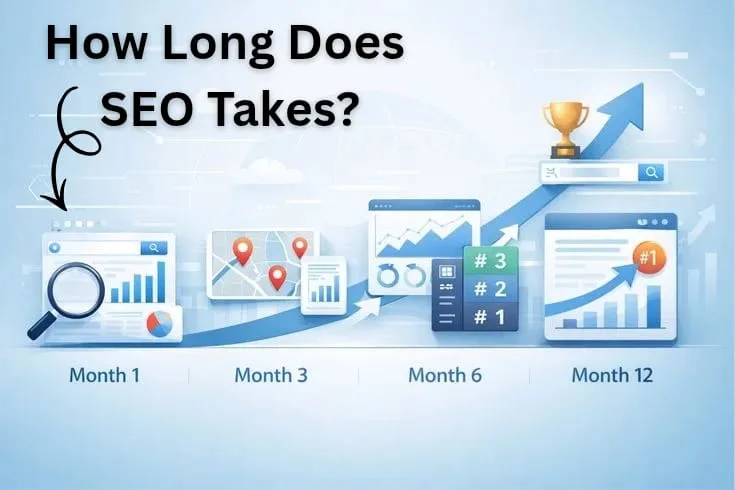
Most stores need 3-6 months to see stable gains. Technical fixes can show faster results after Google recrawls pages.
Category pages rank better for broad buyer searches. Product pages rank better for exact product, model, brand, and variant searches.
Yes. AI search uses product data, page content, reviews, and brand signals. Clean structured data gives products stronger machine-readable context.
Yes. Small stores need technical SEO before content scaling. Crawl access, schema, speed, and indexing affect every product page.